Quick answer
Geofencing attendance uses GPS boundaries to verify employees are physically at the worksite when they clock in. When someone enters the geofence zone, their check-in is confirmed automatically. This prevents buddy-punching, off-site check-in fraud, and gives payroll records location proof.
Geofencing attendance is one of the simplest ways to improve punctuality without adding more manager follow-up. Instead of trusting a manual message or a loosely timed clock-in, the system checks whether someone actually reached the worksite boundary.
When teams know attendance is tied to the real location, late arrivals become easier to spot, off-site check-ins become harder to fake, and payroll records become easier to defend.
What geofencing attendance actually does
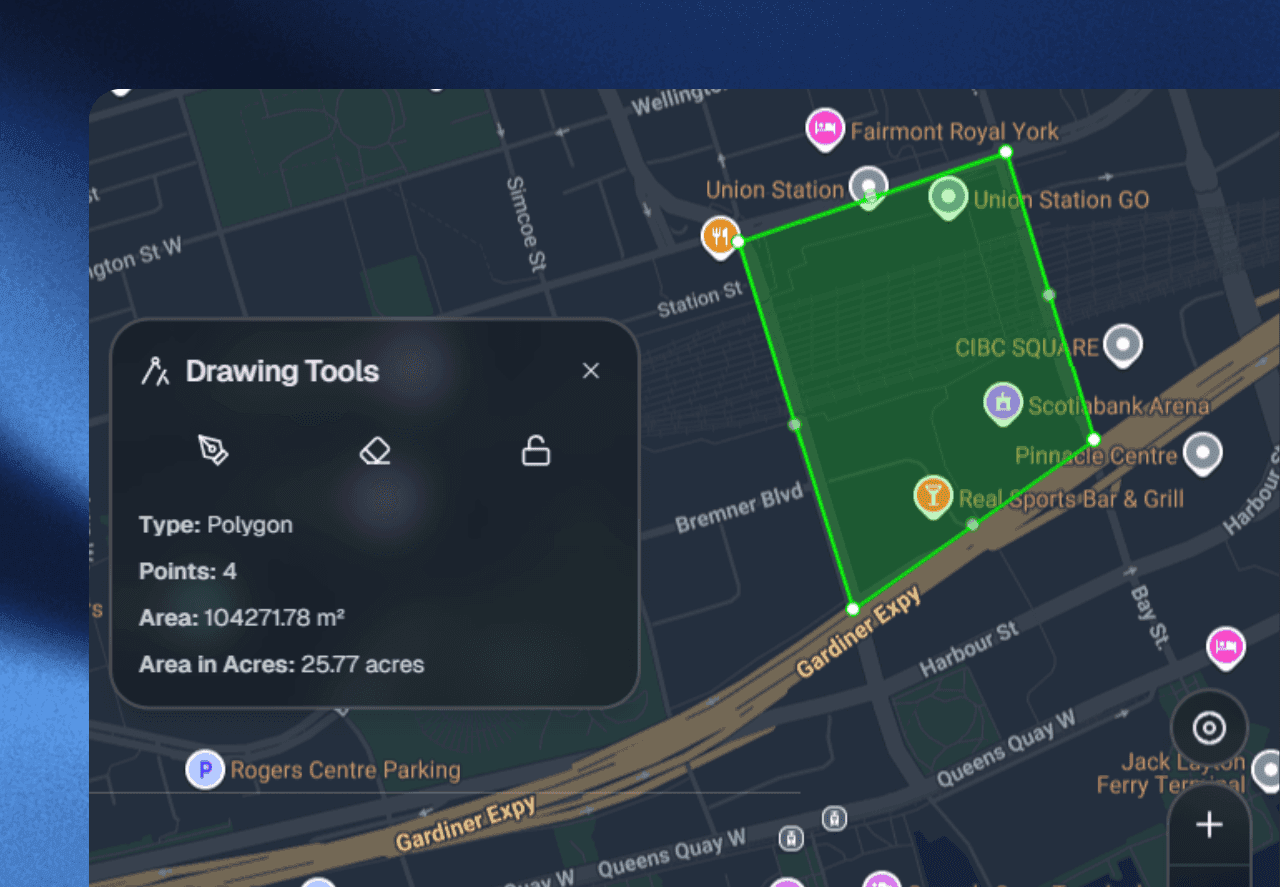
A geofencing attendance system draws a digital boundary around a site, office, warehouse, or job location. When an employee enters that zone, the platform can log the event, trigger a check-in, or require a second proof step before the shift begins.
That matters because punctuality problems are often location problems in disguise. A person can say they started on time, but operations teams still need to know whether they were really there.
Under the hood, the geofence is a virtual perimeter defined by GPS coordinates (a center point plus a radius, or a custom polygon for irregular sites). The employee’s mobile device reports its location to the platform; the platform compares that location against the active geofence and decides whether the check-in is valid. The whole exchange typically takes a couple of seconds and works on any modern smartphone—no bespoke hardware, no badge readers, no kiosks.
Can geofencing improve employee punctuality?
Yes, especially for field teams, distributed crews, and multi-site operations. Geofencing improves punctuality by making arrival measurable. Managers can see who reached the correct site, when they entered, and whether the event matched the scheduled shift.
- Late arrivals become visible immediately instead of after payroll.
- Early arrivals and dwell time can be measured more accurately.
- Off-site or remote check-ins are much easier to challenge.
- Repeated patterns can be coached with real evidence.
The punctuality lift comes from two places. First, the visibility itself—when employees know arrival is logged automatically, the “I was running five minutes late but I texted my manager” gray area disappears. Second, the data lets managers coach the right people instead of guessing. A crew member who is consistently eight minutes late to Site A but on time to Site B has a route problem, not an attitude problem—and that distinction only shows up when you have per-site arrival times.
Where geofencing attendance works best
Geofencing tends to work best when a team has a clear physical place where work starts. Construction sites, cleaning operations, security routes, warehouse teams, delivery hubs, field services, and on-site hospitality crews are all strong fits.
It is also useful for hybrid operations where managers need better proof of site presence before approving time, mileage, or task completion.
Strong-fit industries
- Construction & trades — multiple sites, contractor crews, prevailing-wage compliance.
- Property management & cleaning — turn crews, inspectors, and vendors moving between units.
- Security & patrol — route-based check-ins at multiple checkpoints per shift.
- Logistics & delivery — yard, dock, and hub presence for drivers and loaders.
- Healthcare & home services — in-home visit verification for billing and compliance.
- Hospitality & events — temp staff rotating across venues and shifts.
Weak-fit situations
Geofencing adds little value for fully remote knowledge workers, indoor retail with a single fixed entrance, or roles where the work is defined by output rather than presence. In those cases a simple time clock or outcome-based check-in is usually enough.
What geofencing does not solve by itself
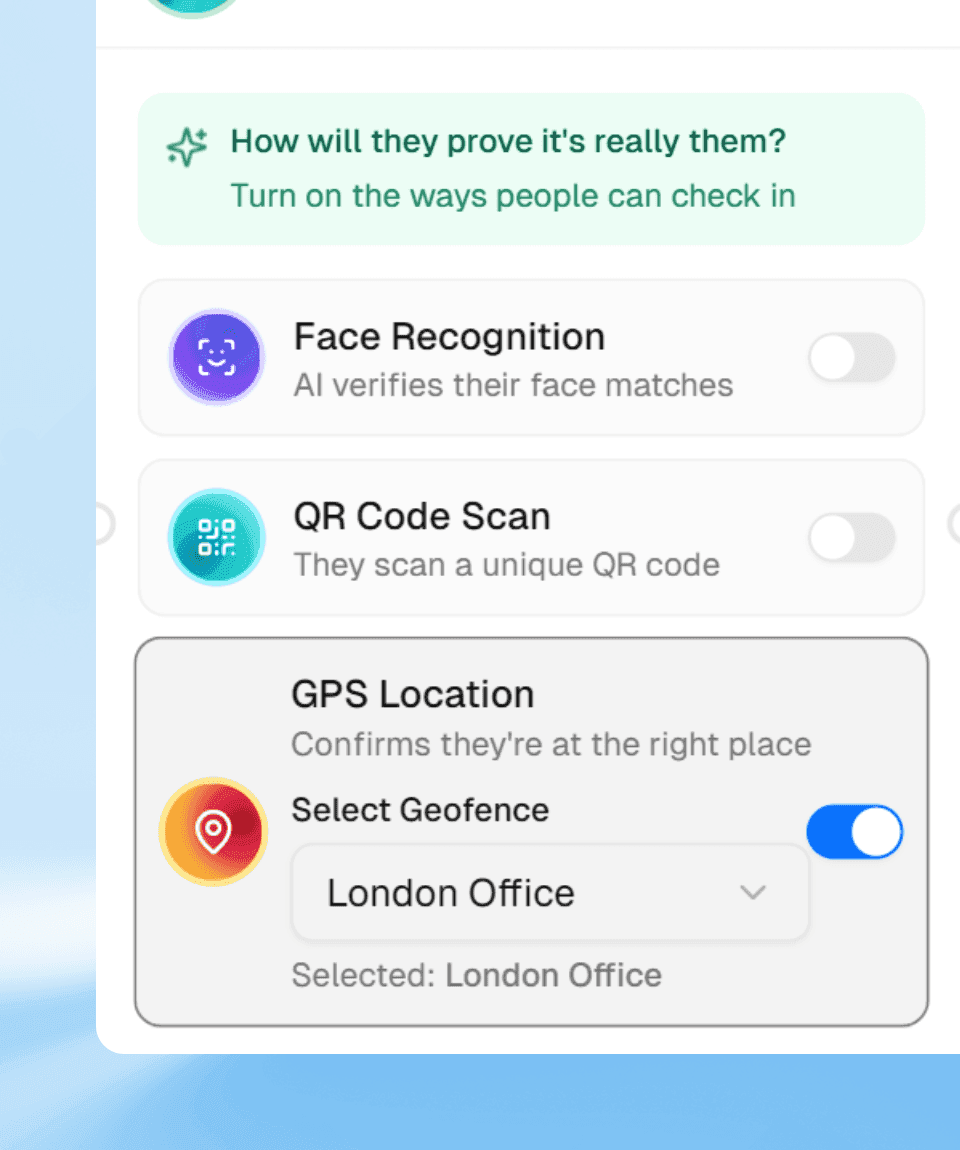
Geofencing answers “Was the person at the site?” It does not always answer “Was the right person there?” or “Did the work actually get done?” That is why high-trust operations usually combine geofencing with another proof layer.
- Use QR codes when teams scan at a shared checkpoint.
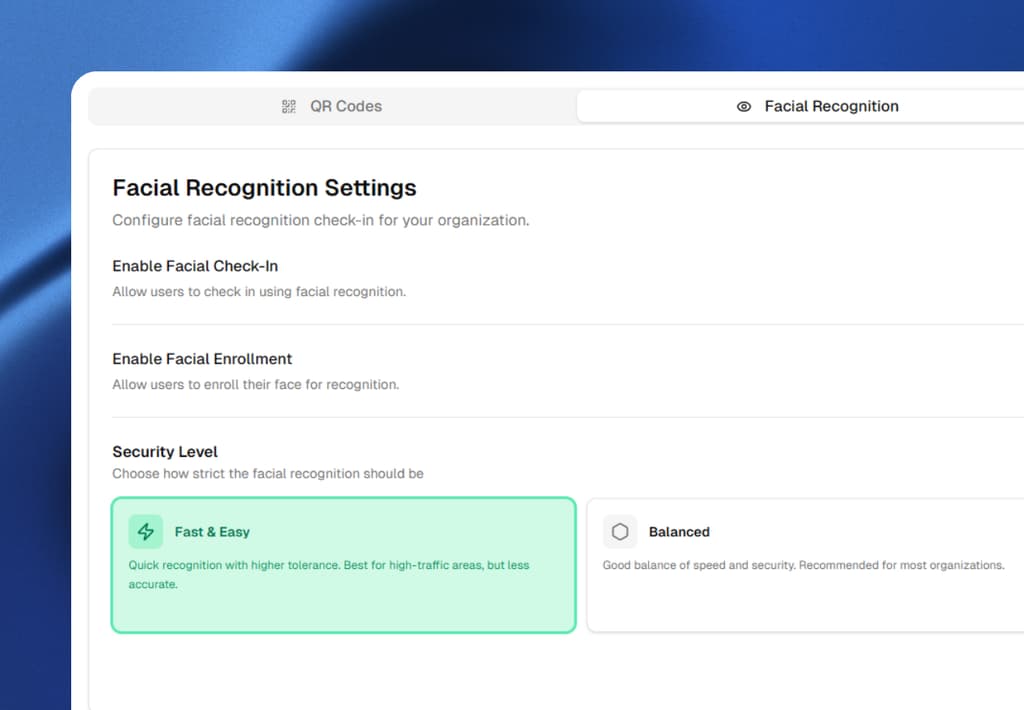
- Use facial recognition when identity proof matters most.
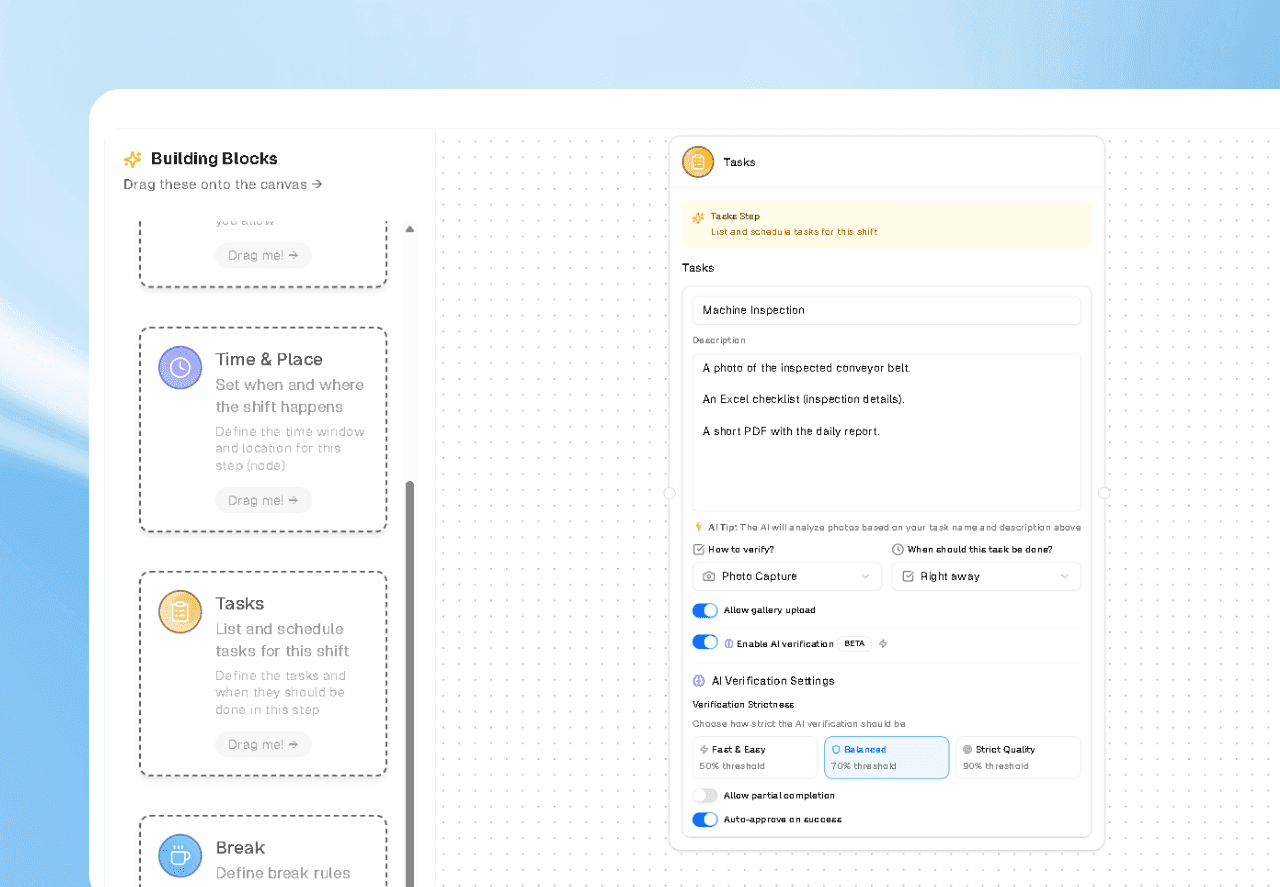
- Use AI task validation when the job needs photo or file evidence.
Think of geofencing as the where layer. Pair it with an identity layer (the who) and a task layer (the what) and you get a complete attendance record that can survive a payroll dispute, an audit, or a client question about billing.
How to make it useful in real operations
The best geofencing attendance rollouts are not just about drawing a circle on a map. They define what counts as arrival, whether buffer zones are allowed, what happens if GPS is weak, and whether a second verification step is required before the shift is approved.
1. Define the boundary precisely
Use a polygon instead of a single radius when the site has an irregular shape (an L-shaped warehouse, a campus with multiple buildings, a strip of storefronts). A 200-meter circle around a loading dock will also cover the parking lot across the street—which may or may not be what you want.
2. Set a buffer and a grace period
GPS on consumer phones is accurate to roughly 5–10 meters under open sky, but it degrades indoors and in dense urban canyons. A small buffer (10–30 meters beyond the boundary) plus a 1–2 minute grace period after entry prevents false rejections from signal noise.
3. Decide what happens on departure
Auto-stop the clock when the employee leaves the geofence if you pay for site time only. Keep the clock running and flag the departure if you pay for the full shift but want to know about mid-shift exits. The right answer depends on the labor rules for each role.
4. Handle weak-GPS and offline cases
Define a fallback for basements, large steel buildings, and remote sites with no signal. Common options: a manual check-in that requires manager approval, a delayed sync that uploads the timestamp once the phone regains signal, or a Wi-Fi-based presence check as a backup geofence.
5. Pair with identity proof for high-trust jobs
For contractor billing, client-facing work, or any role where buddy-punching is a real risk, require a facial recognition scan or a QR scan in addition to the geofence entry. The geofence proves a phone was there; the face scan proves the right personwas there.
When that logic is clear, geofencing stops being a tracking gimmick and becomes a genuine punctuality and compliance tool.
The real gain is cleaner operational proof
Better punctuality is part of the return. The bigger win is cleaner proof for attendance, payroll, compliance, and dispute resolution. You know when someone arrived, where they arrived, and how that event connects to the work that followed.
That is what turns geofencing attendance from a nice feature into an operational control system.
Common rollout mistakes to avoid
- Drawing one giant fence for a multi-site operation. If every site shares the same geofence, you lose per-site arrival data and the punctuality coaching value disappears with it.
- Forgetting to communicate the “why” to the team. Geofencing reads as surveillance when it shows up unannounced. Frame it as “your arrival is logged automatically so nobody has to chase you for a manual check-in” and adoption is far smoother.
- Using geofencing alone for contractor billing. A phone inside the fence is not the same as the contractor being on-site. Pair with identity proof before the geofence event becomes a payable hour.
- Ignoring the departure event. The most expensive ghost hours are the ones after the person leaves. If you never auto-stop the clock, you are paying for the drive home.
Geofencing attendance vs. other check-in methods
Geofencing is one of several check-in proofs. Here is how it compares to the common alternatives.
- Manual time clock / kiosk. Cheap and familiar, but proves only that someone pressed a button. No location, no identity, and easy to buddy-punch.
- QR code scan. Proves the employee reached a specific checkpoint. Cheap and reliable, but requires a physical code at each site and does not prove identity by itself.
- Facial recognition check-in. Proves identity with high confidence. Pairs well with geofencing so you know both the who and the where in one step.
- Geofencing. Proves a device was inside the boundary at a timestamp. Best when combined with identity proof and a task layer for full attendance integrity.
FAQ
Frequently Asked Questions
How accurate is GPS geofencing for attendance?
Consumer-phone GPS is typically accurate to 5–10 meters under open sky. Accuracy drops indoors, in dense urban canyons, and in large steel buildings. Most platforms add a 10–30 meter buffer and a short grace period so normal signal noise does not cause false rejections. For indoor sites where GPS is unreliable, a Wi-Fi-based presence check or a QR scan at a known checkpoint is a common backup.
Does geofencing drain employee phone battery?
Modern geofencing uses low-power location APIs (significant-location-change and fused location providers) that wake the app only when the device crosses the boundary, not while the phone is stationary inside it. Battery impact is minimal on any modern smartphone and is comparable to other background apps like maps or messaging.
Can employees clock in from just outside the geofence?
A well-configured geofence rejects check-ins from outside the boundary. The risk is GPS drift — a phone just outside the fence may report a position inside it, or vice versa. Setting a tight buffer, requiring a second proof step (facial recognition or QR), and reviewing edge-case logs keeps off-site check-in fraud low.
Is geofencing attendance legal?
Yes, with the usual consent and disclosure requirements. In most jurisdictions you need to tell employees that location is being collected for attendance, limit collection to work hours or work sites, and avoid tracking off-the-clock movement. Check local labor and privacy rules (GDPR, CCPA, state-specific location laws) before rolling out, and get explicit opt-in where required.
What happens if an employee has no GPS signal?
Most platforms offer a fallback: a manual check-in that requires manager approval, a delayed sync that uploads the timestamp once the phone regains signal, or a Wi-Fi-based presence check. Define the fallback policy before launch so employees in basements, large steel buildings, or remote sites are not unfairly penalized.
How is geofencing different from location tracking?
Geofencing checks whether a device is inside a defined boundary at a specific moment — it answers "was the employee at the site at clock-in?" It does not continuously track the employee’s movement. Continuous location tracking is a separate, more invasive feature that requires stronger consent and is rarely justified for attendance alone.
Stop paying for hours that never happened on-site.
Sharkforce pairs GPS geofencing with facial recognition and AI task validation so every billed hour is tied to a verified arrival, a verified identity, and a verified task. See it in action or start free.