Quick answer
AI facial recognition attendance uses computer vision to identify employees and record check-in times from a camera. It prevents buddy-punching with liveness detection, requires no contact, and verifies real presence — not photos, videos, or shared PINs.
What is AI facial recognition attendance?
AI facial recognition attendance systems use computer vision and machine learning to identify employees and automatically record their check-in and check-out times. The employee looks at a camera (usually their phone, sometimes a wall-mounted device), the system confirms they are a real, live person and matches them against an enrolled reference, and the timestamp is logged—typically in one to two seconds.
Unlike a PIN pad, a badge swipe, or a manual timesheet, facial recognition ties the check-in to a verified identity. The person being paid is the person standing in front of the camera. That single property is what makes it the strongest single defense against buddy-punching and shared-login fraud.
Modern AI facial recognition attendance systems provide:
- Zero-contact verification — Employees simply look at a camera; no shared surfaces, no kiosks to clean.
- Anti-spoofing technology — Prevents fraud with photo or video attempts.
- Real-time processing — Instant attendance recording and verification.
- Liveness detection — Ensures actual presence, not recorded media or a printed photo held up to the lens.
- Per-employee audit trail — Every check-in is tied to a verified identity, a timestamp, and (optionally) a location.
How Sharkforce’s AI facial recognition works
Sharkforce’s facial recognition attendance combines several verification layers into a single check-in event. The flow is designed to be fast for the employee and hard to game for anyone else.
- Face detection. The camera feed is scanned for a face. If multiple faces are in frame, the system prompts the employee to position themselves alone.
- Feature extraction. Unique facial landmarks are analyzed on-device for readiness. The system extracts a mathematical representation of the face—not the photo itself.
- Liveness verification. AI checks for liveness and anti-spoofing during capture. This is what blocks printed photos, recorded videos, and deepfake attempts.
- Identity matching. Provider-managed face identifiers from approved biometric verification providers are matched to enrolled employees; reference images are stored in secured storage.
- Quality scoring. The system evaluates image quality (lighting, angle, blur) before verification so a bad frame does not produce a false rejection.
The whole exchange runs in the background. From the employee’s perspective, check-in is “open the app, look at the camera, done.”
Benefits over traditional attendance methods
Eliminate buddy punching
Traditional time clocks allow employees to punch in for absent colleagues. A shared PIN, a shared badge, or a shared login is all it takes. Facial recognition significantly reduces this risk by verifying the actual person present—the face has to be in front of the camera, and it has to be live.
Reduce administrative overhead
Automated verification and logging streamline timesheet workflows and approvals. Managers stop chasing “did you actually clock in Tuesday?” messages because the record is already verified.
Improve accuracy
Automated capture and verification reduce manual entry errors compared to purely manual processes. There is no transcription step between the clock-in event and the payroll record.
Enhanced security
Face references are stored as provider-managed identifiers and secured images; access is controlled and auditable, and there are no physical cards or PINs to share, lose, or steal.
How accurate is facial recognition attendance?
Accuracy is the question buyers ask first, and rightly so. The honest answer has three parts.
1. Matching accuracy
Modern facial recognition engines typically achieve well above 99% accuracy on a single, well-lit, frontal capture of an enrolled employee. False-accept rates (the wrong person getting in) and false-reject rates (the right person being blocked) both drop sharply once the employee has two or three good enrollment frames on file.
2. Real-world degradation
Accuracy drops in the field for predictable reasons: poor lighting, heavy glasses or masks, extreme camera angles, and very small faces in a wide frame. A quality-scoring step before verification (the kind Sharkforce uses) catches most of these and asks for a better frame instead of producing a wrong answer.
3. Spoofing and anti-spoofing
The harder question is not “does it recognize the right person?” but “does it recognize a real person?” This is where liveness detection matters. Without it, a printed photo or a recorded video of an enrolled employee can fool a basic matcher. With active liveness checks (blink, head movement, depth), the attack surface shrinks dramatically.
Implementation best practices
Privacy compliance
- Obtain explicit employee consent before enrolling any face.
- Implement GDPR/CCPA-compliant data handling and a documented retention policy.
- Provide opt-out alternatives where legally required (e.g., a PIN or QR fallback).
- Secure data with encryption and access controls; audit who can read reference images.
- Limit collection to the minimum needed for attendance—do not repurpose face data for unrelated surveillance.
System integration
Modern AI attendance systems must integrate seamlessly with:
- Payroll software (via data exports and API connections)
- HR management systems
- Access control systems
- Web-based mobile interfaces for remote teams
Rollout sequencing
- Pilot one site before rolling out company-wide. Learn what lighting, angle, and enrollment issues come up at that location.
- Enroll faces during onboarding going forward, plus a one-time enrollment campaign for existing staff.
- Run facial recognition alongside the old method for two weeks so employees see the new system works and managers can compare records.
- Communicate the “why” — frame it as “your check-in is verified automatically so nobody can clock in for you,” not as “we are watching you.”
- Provide a documented fallback for the rare false reject (manual manager approval, re-enrollment, or a QR/PIN backup).
Industry applications
Healthcare
- Secure access to sensitive areas
- Accurate shift tracking for critical staffing
Note: Healthcare organizations must ensure compliance with HIPAA, patient privacy regulations, and applicable state laws. Consult with legal counsel before implementation.
Manufacturing
- Safety zone access control
- Accurate labor cost tracking
- Compliance with union agreements
Retail
- Multi-location attendance coordination
- Loss prevention through secure access
- Flexible scheduling support
Property management & cleaning
- Contractor identity proof at every unit
- Pair with geofencing for “right person, right place” verification
Hospitality & events
- Temp staff check-in across rotating venues
- Faster crew onboarding without physical badges
ROI and cost benefits
Organizations often report reductions in time fraud, faster payroll processing, and fewer attendance disputes when moving from manual to automated, biometric-based workflows. The biggest line items are usually recovered buddy-punching hours, reduced manager time chasing attendance exceptions, and fewer payroll disputes that require manual reconciliation. Actual results vary by environment and configuration.
Technology considerations
Camera requirements
- Minimum 1080p resolution for reliable feature extraction
- Infrared capability for low light or night shifts
- Wide-angle lens for multiple users at a shared kiosk
- Weatherproof housing for outdoor use
Processing power
- Real-time processing using device cameras (the employee’s phone is usually enough)
- Cloud verification with supported providers for higher-stakes identity proof
- Mobile optimization for smartphones
Common rollout mistakes to avoid
- Enrolling a single bad frame. A blurry or poorly-lit enrollment image produces false rejects for the life of the enrollment. Capture two or three good frames at onboarding.
- Skipping the liveness check to save a second. The one-second cost of active liveness is what blocks the most common spoofing attack (a printed photo). Skipping it defeats the main reason to use facial recognition over a PIN.
- No documented fallback. The rare false reject will happen. Without a manager-approval or QR fallback, the employee is locked out of their shift and trust in the system collapses.
- Surprising the team. Rolling out biometric collection without notice reads as surveillance. Communicate the purpose, the consent, the retention policy, and the opt-out path before the first enrollment.
Facial recognition vs. other attendance proofs
- Manual time clock / kiosk. Cheap and familiar, but proves only that someone pressed a button. No identity, no location, easy to buddy-punch.
- QR code scan. Proves the employee reached a checkpoint. Cheap and reliable, but does not prove identity by itself—anyone with the code can scan it.
- Geofencing. Proves a device was inside the site boundary. Pairs well with facial recognition so you get both the who and the where in one check-in.
- Facial recognition. Proves identity with high confidence and blocks spoofing with liveness detection. Strongest single proof; even stronger when paired with geofencing and a task layer.
Future trends
Multi-modal biometrics
Combining facial recognition with voice prints or palm scans for enhanced security in higher-stakes environments.
Predictive analytics
Using attendance patterns to predict staffing needs and identify potential issues before they affect operations.
On-device matching
Moving more of the match to the phone itself so reference images never leave the device. Stronger privacy posture, weaker central analytics.
Getting started with Sharkforce
Getting started with AI facial recognition is straightforward:
- Create an account
- Set up your first location and organization
- Invite team members
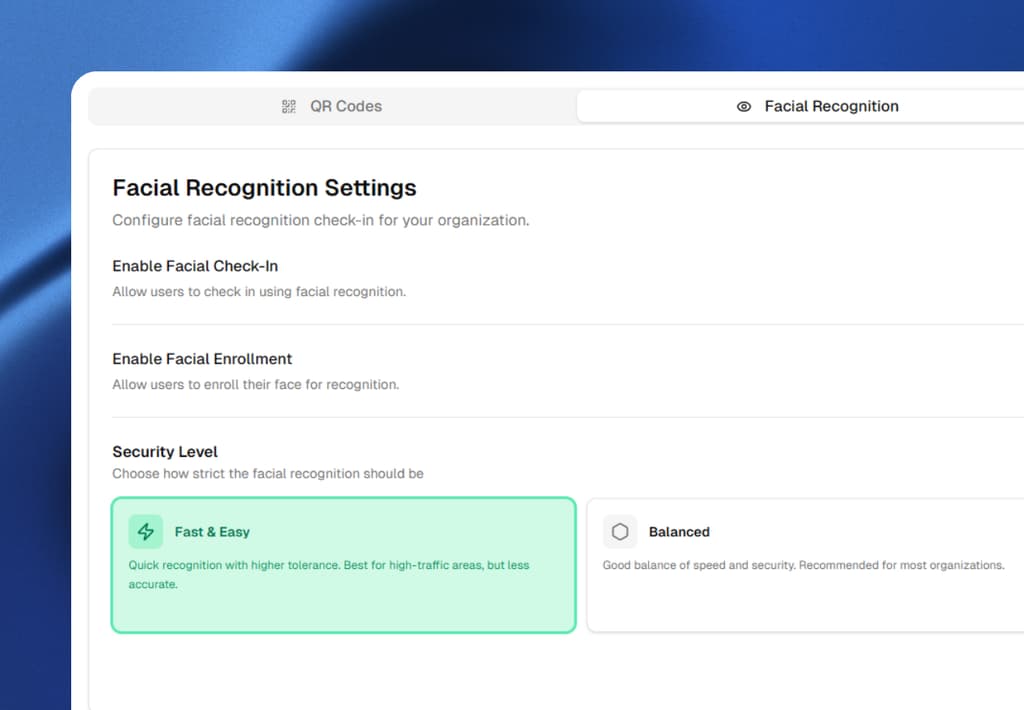
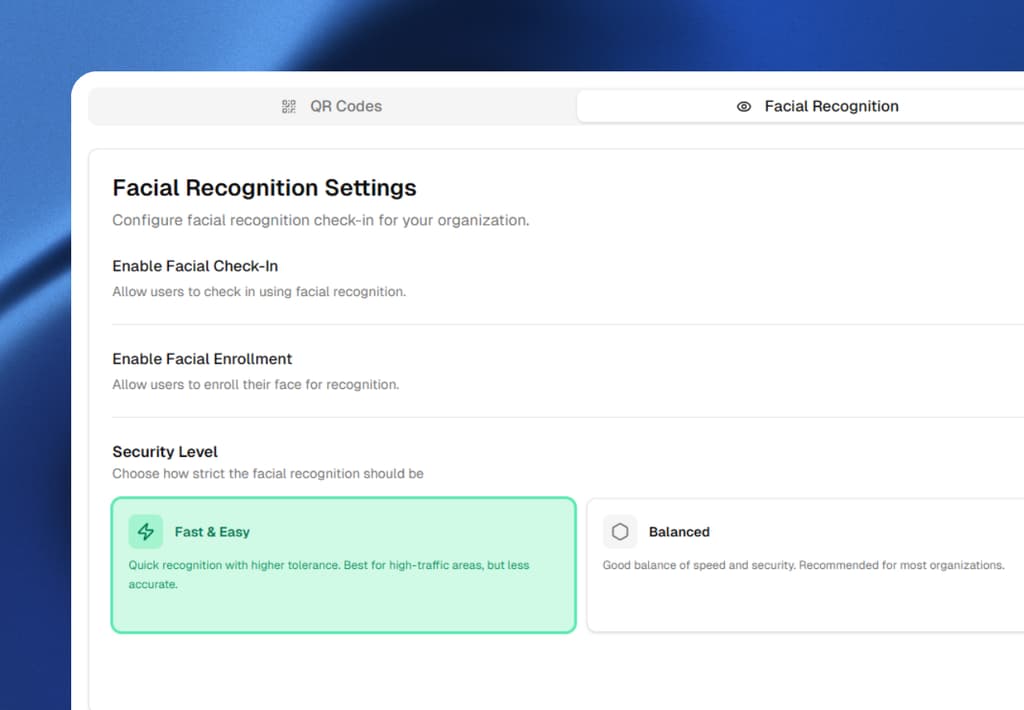
- Enroll faces and configure verification
- Start tracking attendance
AI facial recognition represents the future of workforce management, offering unprecedented accuracy, security, and efficiency. As businesses continue to digitize operations, those adopting advanced biometric systems like Sharkforce will maintain competitive advantages through reduced costs, improved compliance, and enhanced security.
FAQ
Frequently Asked Questions
Can facial recognition stop buddy punching?
Yes — it is the single strongest defense against buddy punching. A shared PIN or badge can be handed to anyone, but a face has to be physically in front of the camera, and liveness detection blocks printed photos and recorded videos. The combination of identity matching plus liveness is what makes facial recognition meaningfully harder to game than any non-biometric check-in.
How accurate is facial recognition for attendance?
Modern facial recognition engines typically achieve well above 99% accuracy on a single well-lit frontal capture of an enrolled employee. Accuracy drops in poor lighting, with heavy glasses or masks, or at extreme camera angles. A quality-scoring step before verification catches most bad frames and asks for a better one instead of producing a wrong answer.
What is liveness detection and why does it matter?
Liveness detection is the AI check that confirms the face in front of the camera belongs to a real, present person — not a printed photo, a recorded video, or a deepfake. It typically analyzes micro-movements (blink, head motion) and depth. Without liveness, a basic face matcher can be fooled by a photo of an enrolled employee; with it, the most common spoofing attacks fail.
Is facial recognition attendance legal?
Yes, with consent and disclosure. Most jurisdictions require you to tell employees that biometric data is being collected, obtain explicit consent, limit collection to work purposes, and provide an opt-out alternative where required. Several U.S. states (notably Illinois under BIPA) and the EU under GDPR have specific biometric data rules. Get legal counsel before rollout and document your retention policy.
What happens if facial recognition fails to recognize an employee?
A documented fallback is essential. Common options: a manager-approved manual check-in, a re-enrollment of a better reference image, or a QR/PIN backup that still records identity through a different channel. The fallback should be rare (false rejects are uncommon with good enrollment) but it must exist, or a single bad frame can lock an employee out of their shift.
Does Sharkforce store the actual photo of my face?
Sharkforce stores provider-managed face identifiers and secured reference images with controlled, auditable access. The system extracts a mathematical representation of the face for matching rather than keeping a raw photo that anyone can browse. Access to reference data is logged, and retention is governed by your configured policy.
Can facial recognition be used with geofencing?
Yes, and the combination is the strongest single check-in proof available. Geofencing answers "was a device at the site?" and facial recognition answers "was the right person there?" Pairing them in one check-in event gives you both the who and the where, which is what high-trust operations (contractor billing, client-facing work, compliance audits) actually need.
Stop buddy-punching without adding manager busywork.
Sharkforce pairs AI facial recognition with GPS geofencing and AI task validation so every check-in is tied to a verified identity, a verified location, and a verified task. Start free or book a demo to see the full flow.
Important Legal Notice: This guide provides general information about workforce management technologies. Implementation of biometric systems may be subject to federal, state, and local laws including but not limited to BIPA (Illinois), CCPA (California), GDPR (EU), and other privacy regulations. Employers must obtain proper legal counsel and employee consent before implementing any biometric tracking system. Sharkforce provides tools to help with compliance, but employers remain solely responsible for meeting all legal obligations.