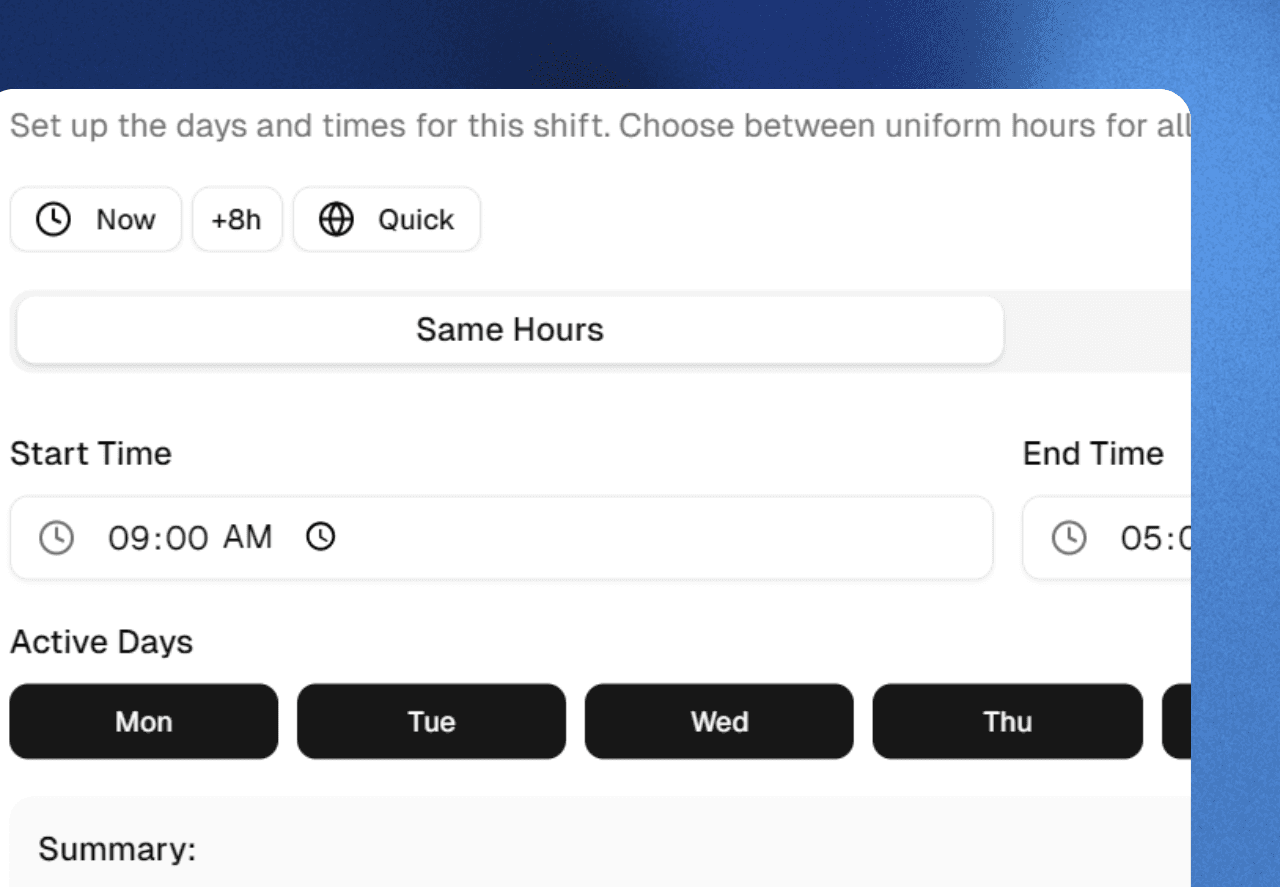
Workflow Playground

Build Any Workflow. Your Way

Create custom check-ins, schedules, tasks, and breaks with simple building blocks. Mix and match any verification method. No coding required.
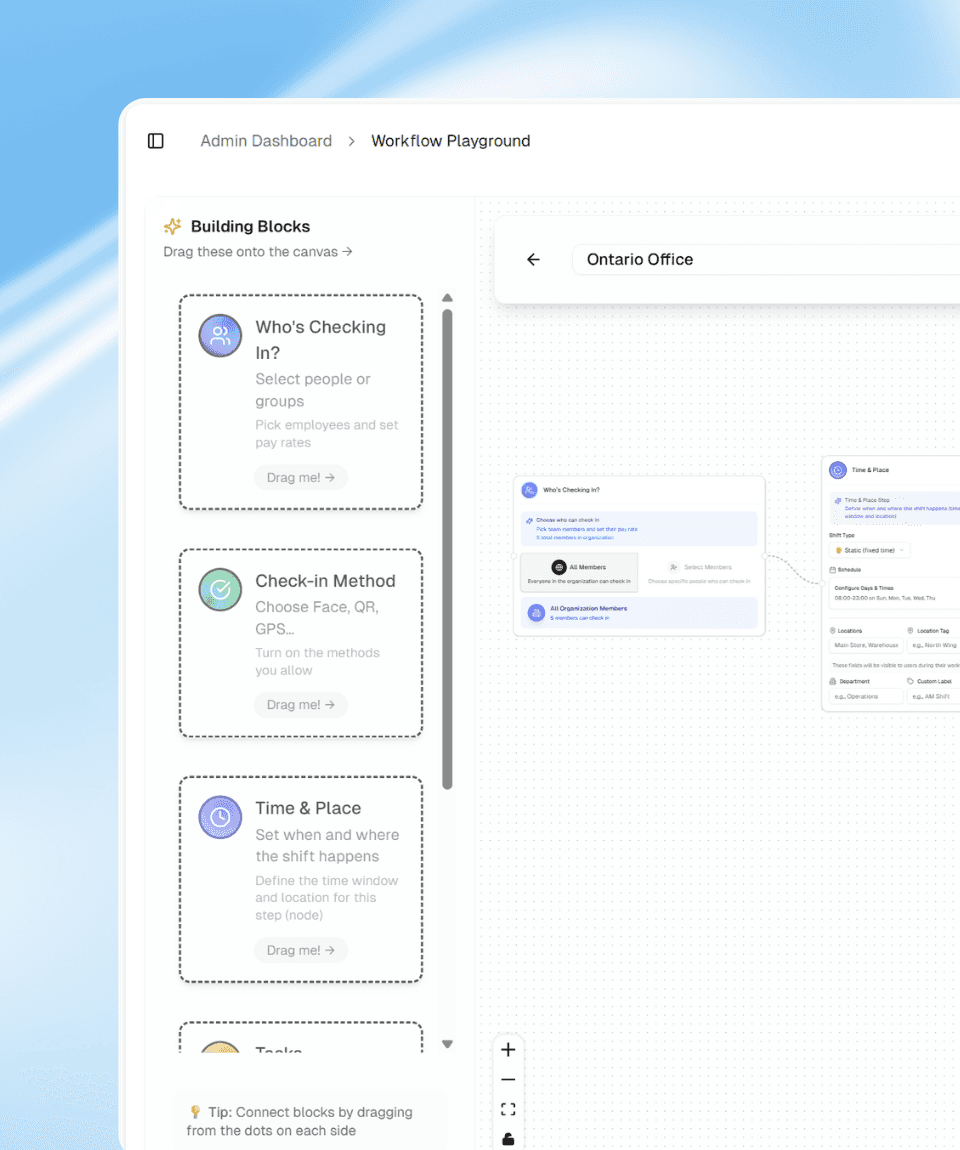
Drag. Drop. Your Entire Workflow.

Workflow Playground lets you build the way your teams actually work.

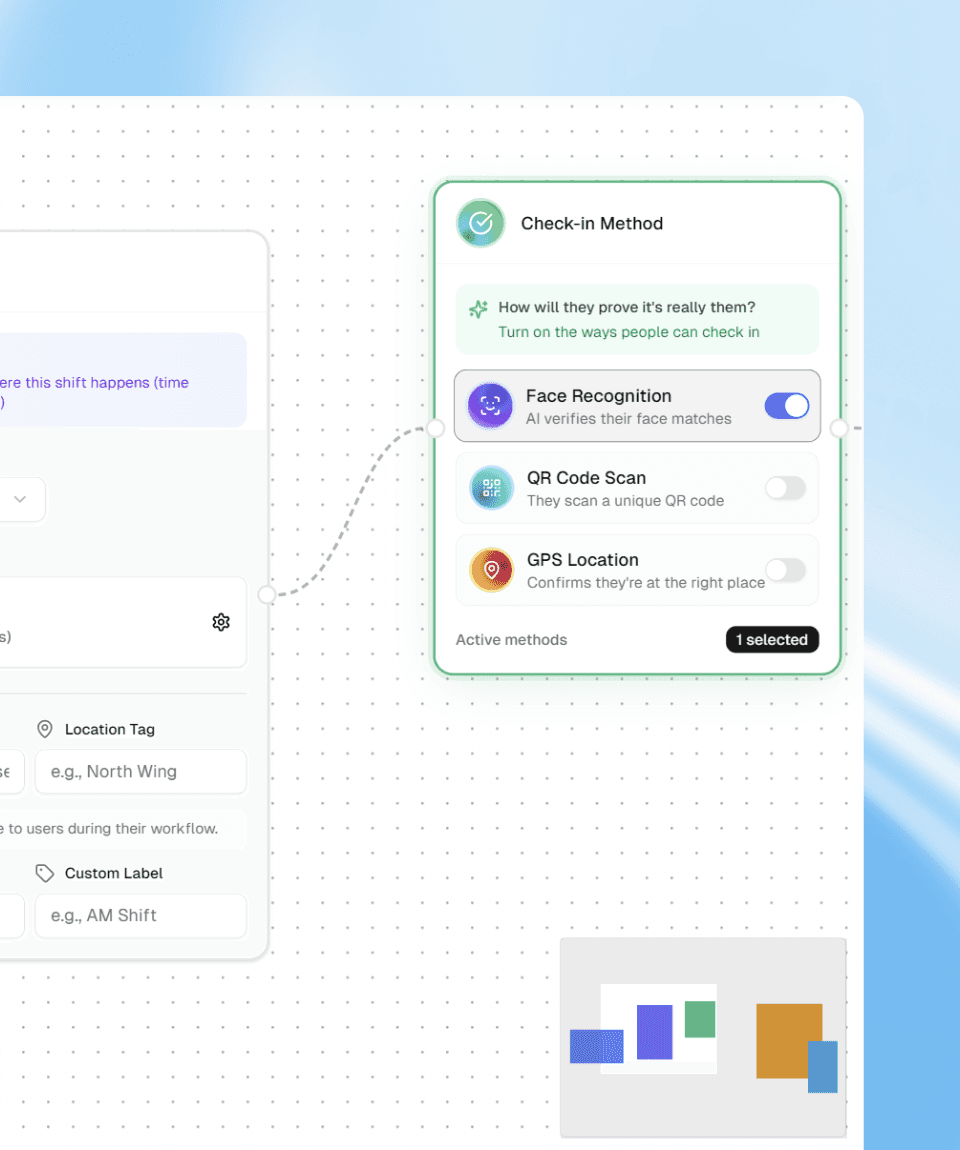
Pick your people, plug in schedules, choose verification methods, add tasks and breaks, then connect everything with simple blocks. No tickets, no configs, no waiting on a dev.

How it works: Choose your team → Drag in check‑in and task blocks → Add rules for schedules, locations, and breaks → Turn on AI validation where you need proof → Publish in minutes and adjust anytime.
Features That Actually Matter

Flexible Blocks
Mix People, Schedule, Methods, Tasks, Breaks, and Rules any way you need. One site or a hundred.

One Connected Flow
Check‑ins, tasks, validation, and breaks in one workflow. Nothing lost between apps or spreadsheets.

Real‑World Ready
Office employees, Remote, field crews, hotels, clinics, retail. Same Playground, every team.

Change in Minutes, Not Months
Shift moves? New policy? Edit blocks, save, deploy. Instant rollout across your entire team.

Finally, workflows that don't need a PhD to run.

Workflow Playground does the complex automation so your teams don't have to think about it. No rigid systems forcing you into boxes. No "we'll build that custom" in six months. Drag blocks. Set rules. Publish live.

Your team gets clear prompts and instant feedback. You get control without the headache. Everyone else gets workflows that actually match reality.

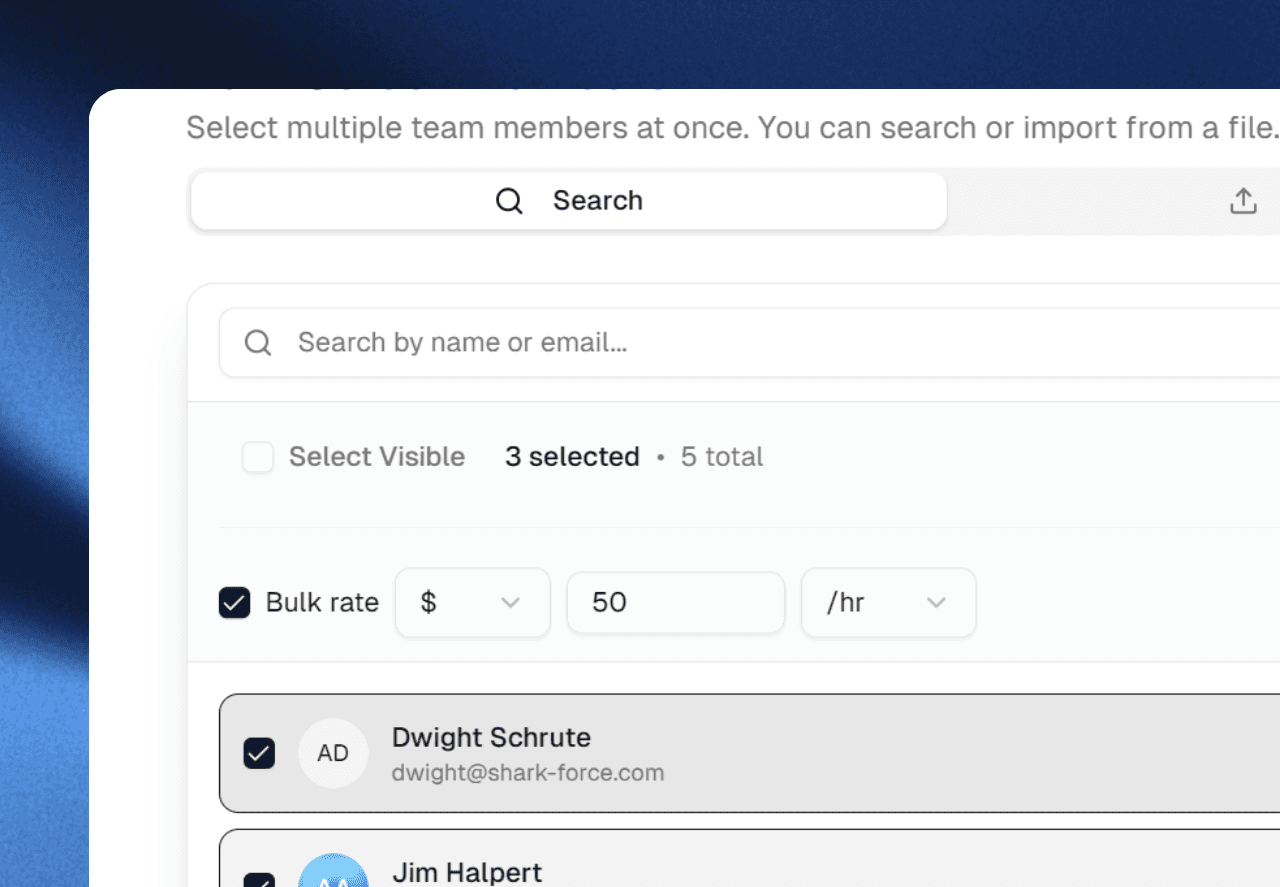
Everything You Need to Build the Perfect System

People

Who's Checking In
Filter by users, roles, or teams. Set custom rules for any group.

Schedule

When & Where
Custom days, times, and locations. Flexible for every shift and site.

Methods

Face, QR, GPS or All. Mix and match verification types. Combine security layers instantly.

Methods

Face, QR, GPS or All. Mix and match verification types. Combine security layers instantly.

Tasks

What Needs To Be Done. Assign work, validate with AI, and track completion in real time.

Tasks

What Needs To Be Done. Assign work, validate with AI, and track completion in real time.

Breaks

Rest Periods Built In. Add lunch, coffee breaks, or custom rest rules. Full compliance, zero hassle

Breaks

Rest Periods Built In. Add lunch, coffee breaks, or custom rest rules. Full compliance, zero hassle

Everything You Need to Build the Perfect System

People

Who's Checking In
Filter by users, roles, or teams. Set custom rules for any group.

Schedule

When & Where
Custom days, times, and locations. Flexible for every shift and site.

Methods

Face, QR, GPS or All. Mix and match verification types. Combine security layers instantly.

Tasks

What Needs To Be Done. Assign work, validate with AI, and track completion in real time.

Breaks

Rest Periods Built In. Add lunch, coffee breaks, or custom rest rules. Full compliance, zero hassle

Book a Demo

See how Sharkforce works. No pressure, no commitment.

Explore Sharkforce with a product specialist.

Book a Demo

See how Sharkforce works. No pressure, no commitment.

Explore Sharkforce with a product specialist.

Book a Demo

See how Sharkforce works. No pressure, no commitment.

Explore Sharkforce with a product specialist.

FAQ

Your questions, answered

Find answers to the most common questions about Anastasis way of working, services and more.

What is Sharkforce?

Sharkforce is an AI-powered workforce and attendance platform that uses AI facial recognition, geofenced locations, GPS, and QR codes to verify who is on-site, then applies AI task validation to check photos and files against your rules so every shift and task is captured as trusted, audit-ready proof.

Who is Sharkforce for?

Sharkforce is built for powerful desk teams, busy offices, and fully remote or field crews that need one source of truth for attendance and task completion across sites, time zones, and job types.

How does AI task validation help my team?

Instead of managers manually reviewing photos and files, Sharkforce AI checks every submission against your policies, locations, and timestamps, auto-approving clean work and flagging risky or incomplete tasks in seconds.

What makes Sharkforce different from traditional attendance systems?

Traditional tools stop at “who clocked in”; Sharkforce combines AI facial recognition, geofenced check-ins, GPS, QR codes, and drag-and-drop workflows so you can see, in real time, which people, teams, and locations are actually in compliance.

FAQ

Your questions, answered

Find answers to the most common questions about Anastasis way of working, services and more.

What is Sharkforce?

Sharkforce is an AI-powered workforce and attendance platform that uses AI facial recognition, geofenced locations, GPS, and QR codes to verify who is on-site, then applies AI task validation to check photos and files against your rules so every shift and task is captured as trusted, audit-ready proof.

Who is Sharkforce for?

Sharkforce is built for powerful desk teams, busy offices, and fully remote or field crews that need one source of truth for attendance and task completion across sites, time zones, and job types.

How does AI task validation help my team?

Instead of managers manually reviewing photos and files, Sharkforce AI checks every submission against your policies, locations, and timestamps, auto-approving clean work and flagging risky or incomplete tasks in seconds.

What makes Sharkforce different from traditional attendance systems?

Traditional tools stop at “who clocked in”; Sharkforce combines AI facial recognition, geofenced check-ins, GPS, QR codes, and drag-and-drop workflows so you can see, in real time, which people, teams, and locations are actually in compliance.

FAQ

Your questions, answered

Find answers to the most common questions about Anastasis way of working, services and more.

What is Sharkforce?

Sharkforce is an AI-powered workforce and attendance platform that uses AI facial recognition, geofenced locations, GPS, and QR codes to verify who is on-site, then applies AI task validation to check photos and files against your rules so every shift and task is captured as trusted, audit-ready proof.

Who is Sharkforce for?

Sharkforce is built for powerful desk teams, busy offices, and fully remote or field crews that need one source of truth for attendance and task completion across sites, time zones, and job types.

How does AI task validation help my team?

Instead of managers manually reviewing photos and files, Sharkforce AI checks every submission against your policies, locations, and timestamps, auto-approving clean work and flagging risky or incomplete tasks in seconds.

What makes Sharkforce different from traditional attendance systems?

Traditional tools stop at “who clocked in”; Sharkforce combines AI facial recognition, geofenced check-ins, GPS, QR codes, and drag-and-drop workflows so you can see, in real time, which people, teams, and locations are actually in compliance.

FAQ

Your questions, answered

Find answers to the most common questions about Anastasis way of working, services and more.

What is Sharkforce?

Sharkforce is an AI-powered workforce and attendance platform that uses AI facial recognition, geofenced locations, GPS, and QR codes to verify who is on-site, then applies AI task validation to check photos and files against your rules so every shift and task is captured as trusted, audit-ready proof.

Who is Sharkforce for?

Sharkforce is built for powerful desk teams, busy offices, and fully remote or field crews that need one source of truth for attendance and task completion across sites, time zones, and job types.

How does AI task validation help my team?

Instead of managers manually reviewing photos and files, Sharkforce AI checks every submission against your policies, locations, and timestamps, auto-approving clean work and flagging risky or incomplete tasks in seconds.

What makes Sharkforce different from traditional attendance systems?

Traditional tools stop at “who clocked in”; Sharkforce combines AI facial recognition, geofenced check-ins, GPS, QR codes, and drag-and-drop workflows so you can see, in real time, which people, teams, and locations are actually in compliance.