
Sharkforce v0.4 rebuilds shifts around what needs you, who works when and what happened. It adds requests and leave, signed company documents, and a dashboard for every worker.
Shifts
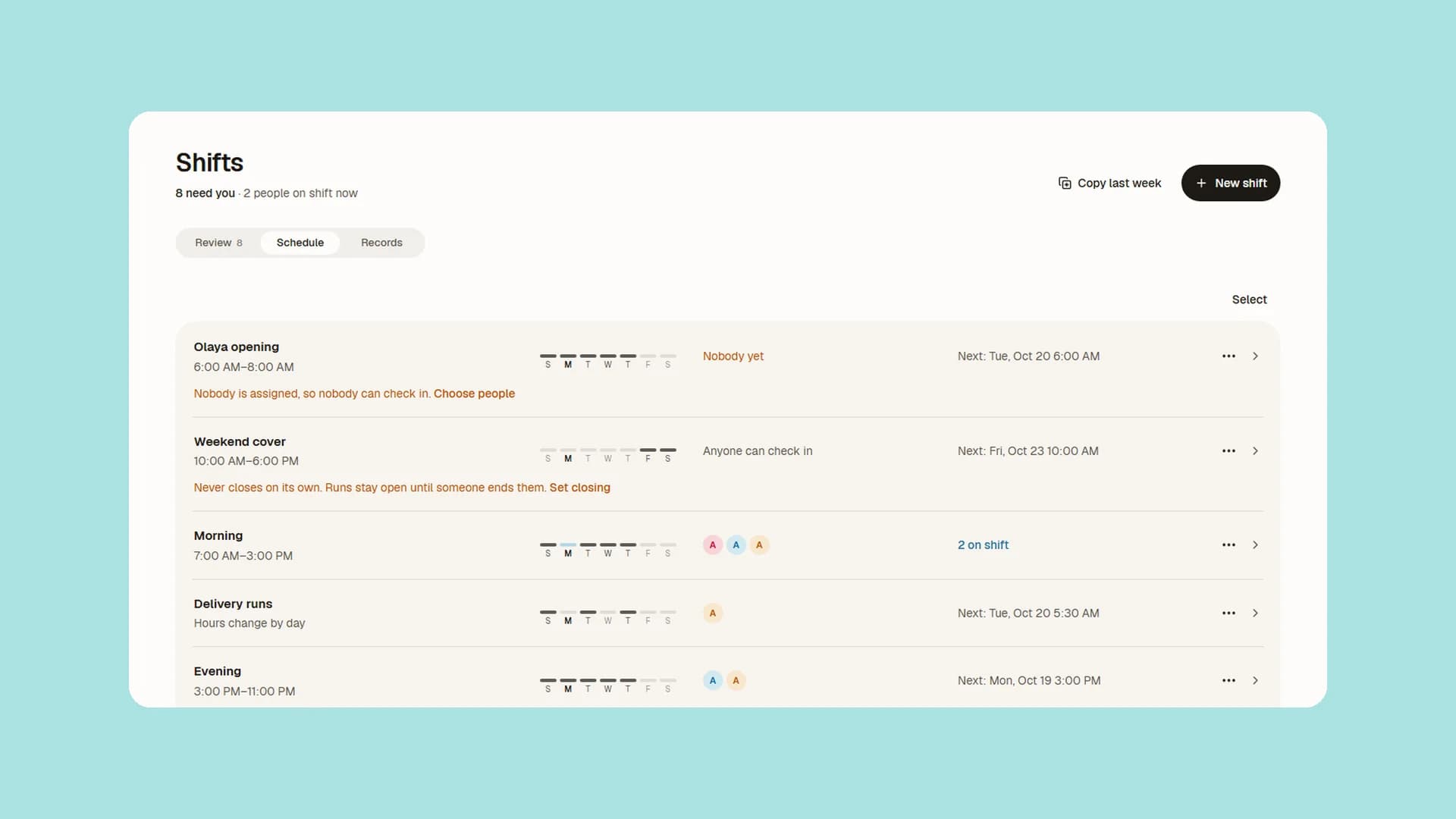
- Shifts has three places: Review for what needs you, Schedule for who works when, Records for what happened.
- Approve every clean shift at once, with Undo. Approve, adjust or reject worked hours in one tap.
- The shift builder asks four plain questions and shows the worker's real phone screens as you go.
- Start from blank, a starter or a copy of another shift. It is ready to save from the start.
- Repeat a shift weekly, every other week, monthly, yearly, once, or on dates you pick.
- Any time shifts: workers start when they like on the shift's days, and are never late.
- Open shifts let anyone check in, and nobody is marked late or a no-show.
- Late, Left early and End time estimated show beside each record.
- A forgotten clock-out closes at the scheduled end, as an estimate a manager confirms.
- Changing a shift's days or hours asks first and tells everyone on it.
- When you allow it, workers can pause a shift on the web. Pauses are unpaid and come off their hours.
- Approved time off shows as Off in Schedule.
- Breaks keep to each type's limits and need approval before running over.
- On the web, shift clocks keep the right time even when the computer's own clock is wrong.
See how shift scheduling works.
Checking in
QR codes, face and location zones share one page, and you can test a check-in on the zone map.
QR codes
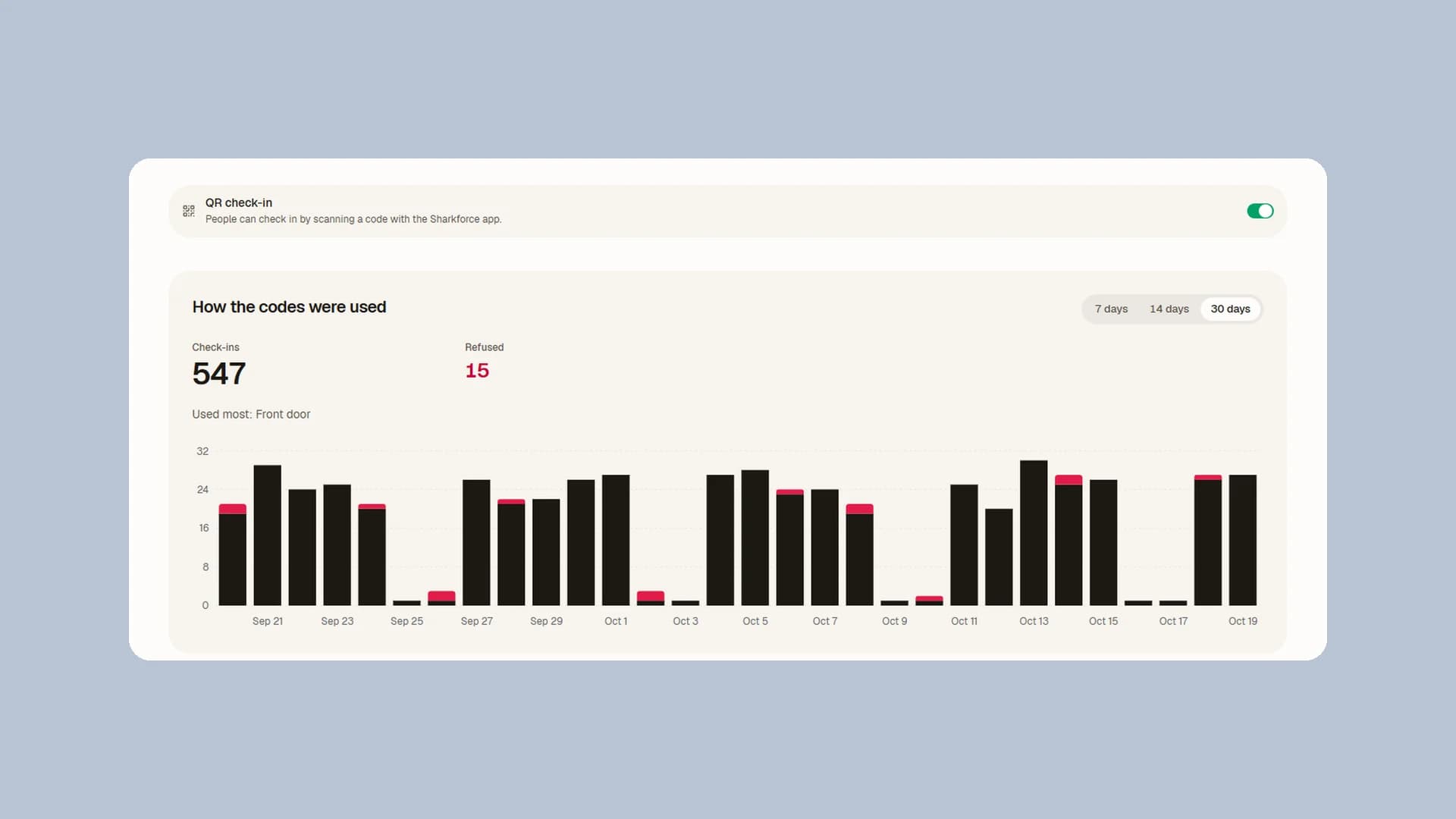
- Build a QR code with a live preview of the real poster or check-in screen.
- Screen codes change on a timer you set, and only a display opened from the dashboard shows them.
- Print a poster in your own words, or save it as a PDF or a picture. Download every scan to Excel.
Face check-in
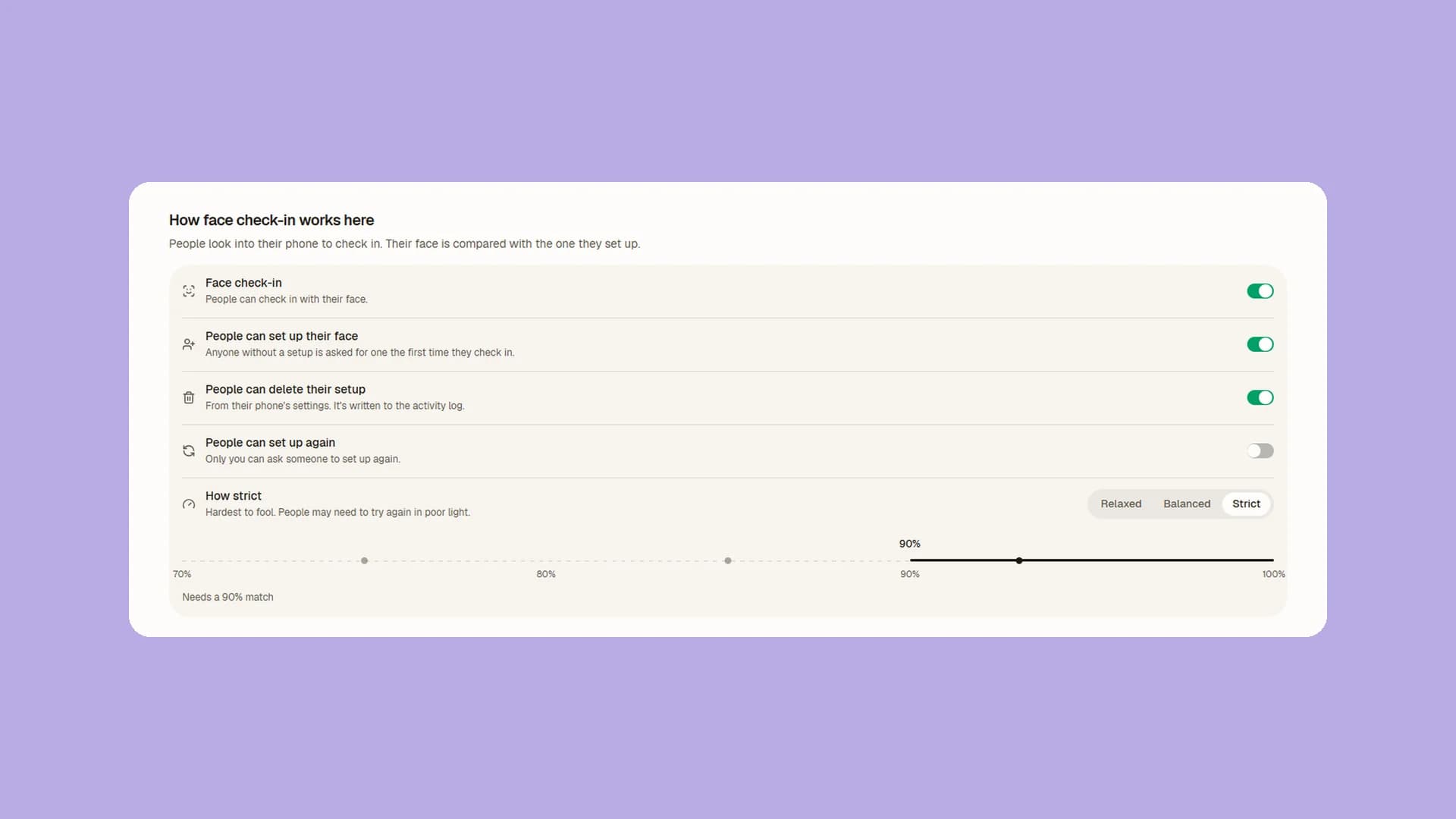
- Face check-in uses a round camera, and a first setup no longer locks anyone out.
- Choose Relaxed, Balanced or Strict face matching, per company or per person.
- Face photos stay hidden until you choose Show photo, and deleting a face removes the photo everywhere.
Location zones
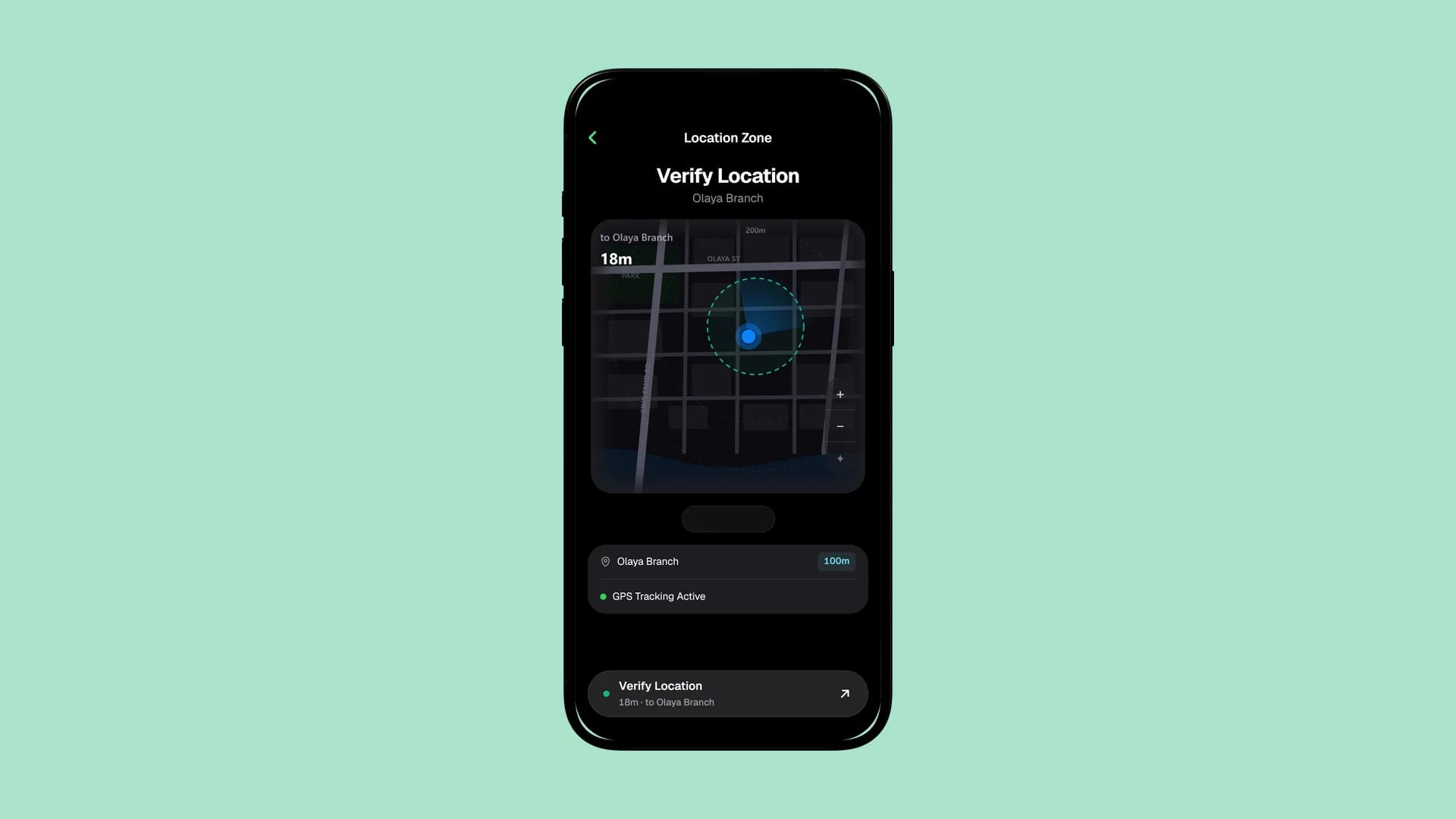
- Location check-in allows for normal GPS error and explains a refusal in the worker's language.
- Two admins editing one zone can't overwrite each other.
See QR codes, face check-in and location zones.
Tasks and photo checks
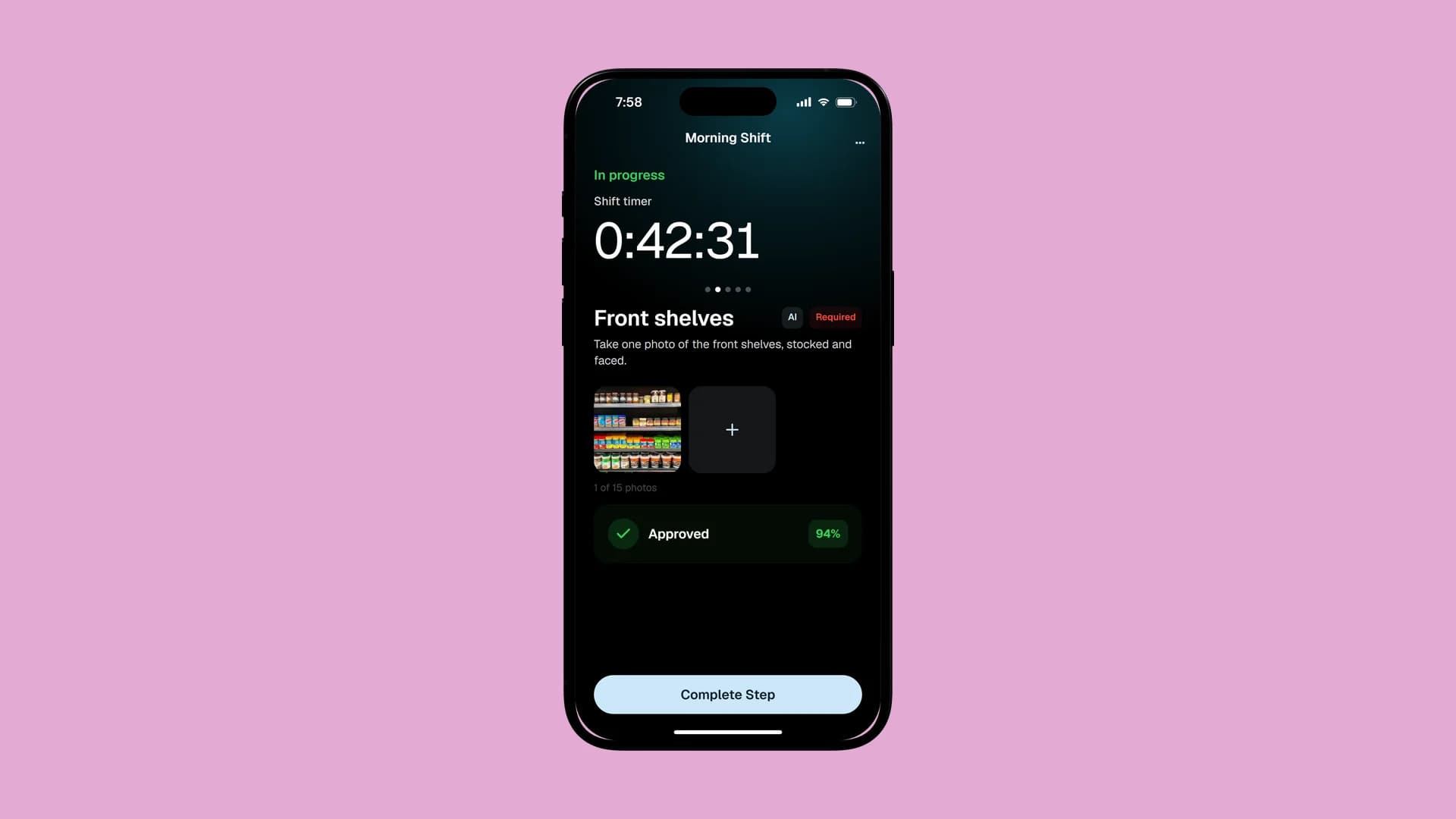
- After a photo check, the phone shows what it saw and what to try next.
- Task photos must be taken for that shift, so an old or borrowed photo can't pass.
- A failed check can no longer be passed by the worker's own say-so.
See how AI task validation works.
Requests and leave
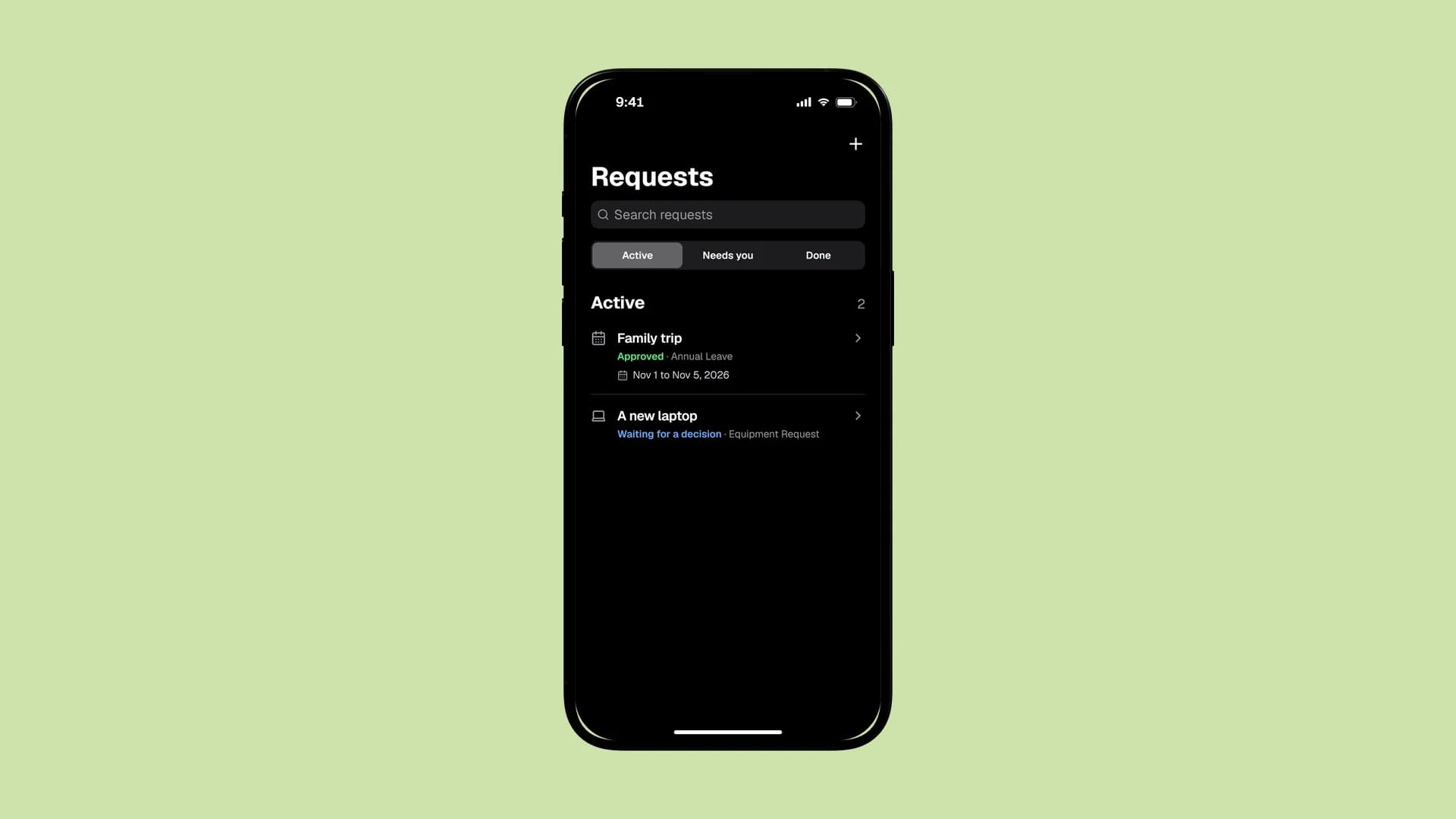
- New: requests for leave, equipment, certificates, IT help, Iqama renewal and more, with approvals in steps.
- Workers ask on the web or the phone, even offline, and approvers are told at once.
- The person's own manager decides, or someone above them.
- One inbox of what waits on you. A withdrawn request leaves it.
- Every leave balance, one row per person, in words.
- Holidays and blocked days in one place. Import a country's holidays without duplicates.
- Each company sets its own weekend.
- Each request opens with its approvals and its full history.
See requests and leave.
Company documents
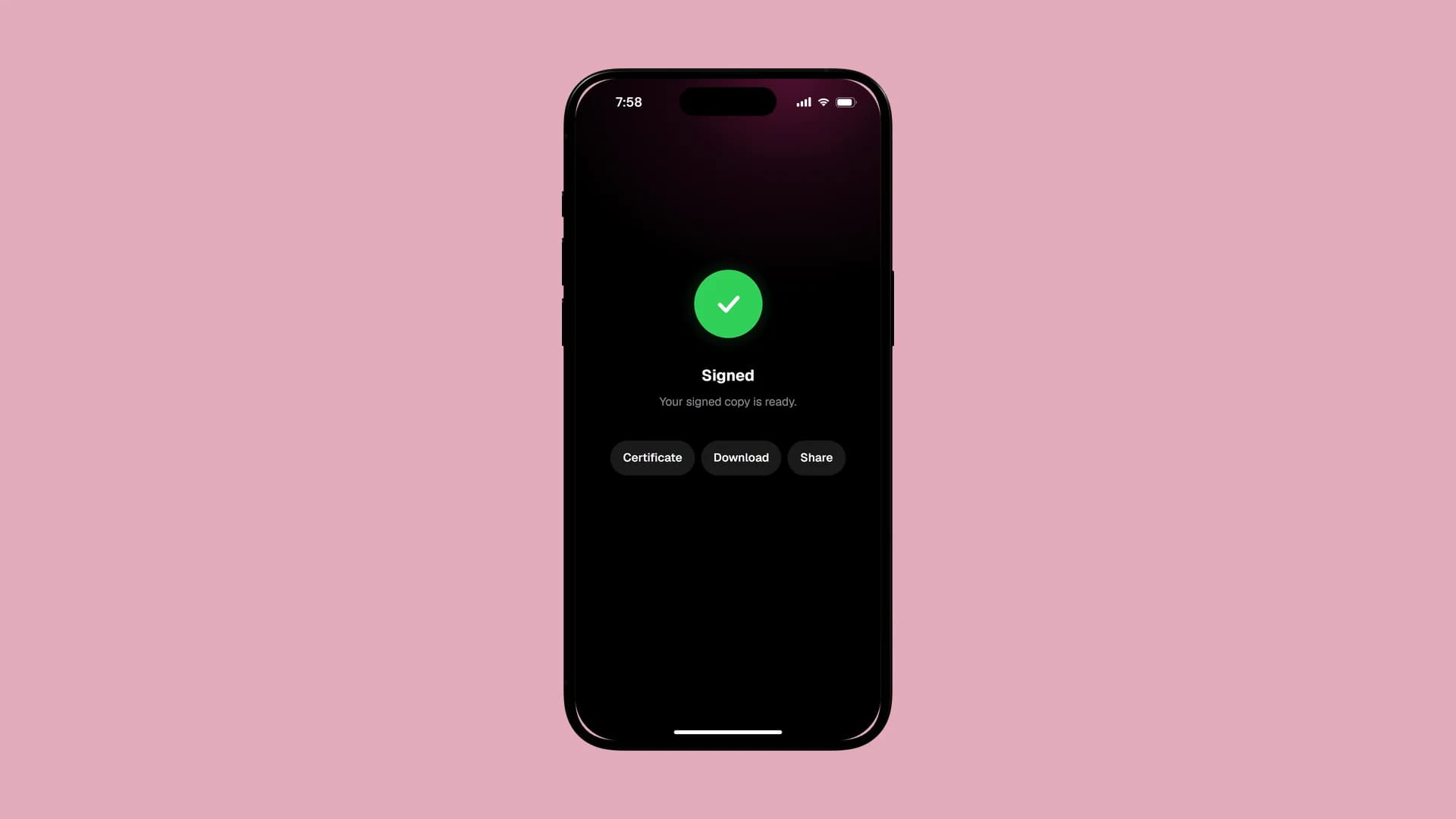
- Employees sign company documents inside Sharkforce and keep every signed copy.
- A request can require a signed document before it is done.
- A document made of several Word files can be signed in one go.
- See what each person still has to sign, and who signed when.
Payroll
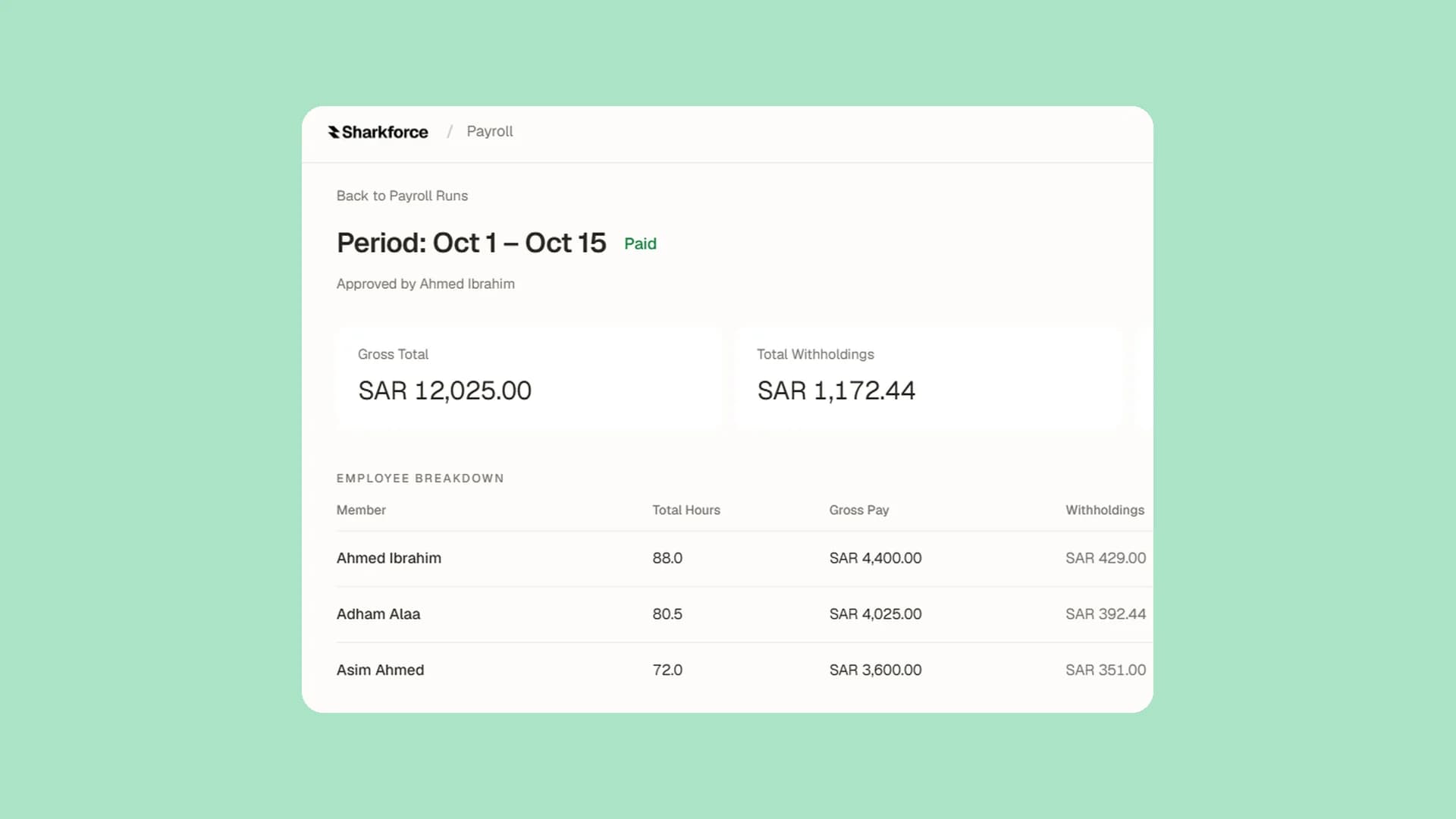
- Approved leave flows into pay: paid leave is paid, unpaid leave lowers expected hours.
- Pay runs can cover picked people or saved groups.
- Hours past a shift's end are banked until an admin pays them or turns them into leave.
- The payroll page is rebuilt: where pay day stands, each run in full, each person edited in place.
- Basic salary, housing and transport are set per month, and Saudi overtime follows Labor Law Article 107.
- More than 30 fixes to tax and contributions, such as Ontario surtax and biweekly GOSI.
- An end-of-service estimate for Saudi staff, and Calculate again for a run in review.
- Pay stubs come in Arabic for Arabic readers, and nobody can change their own pay.
See how payroll works.
People and roles
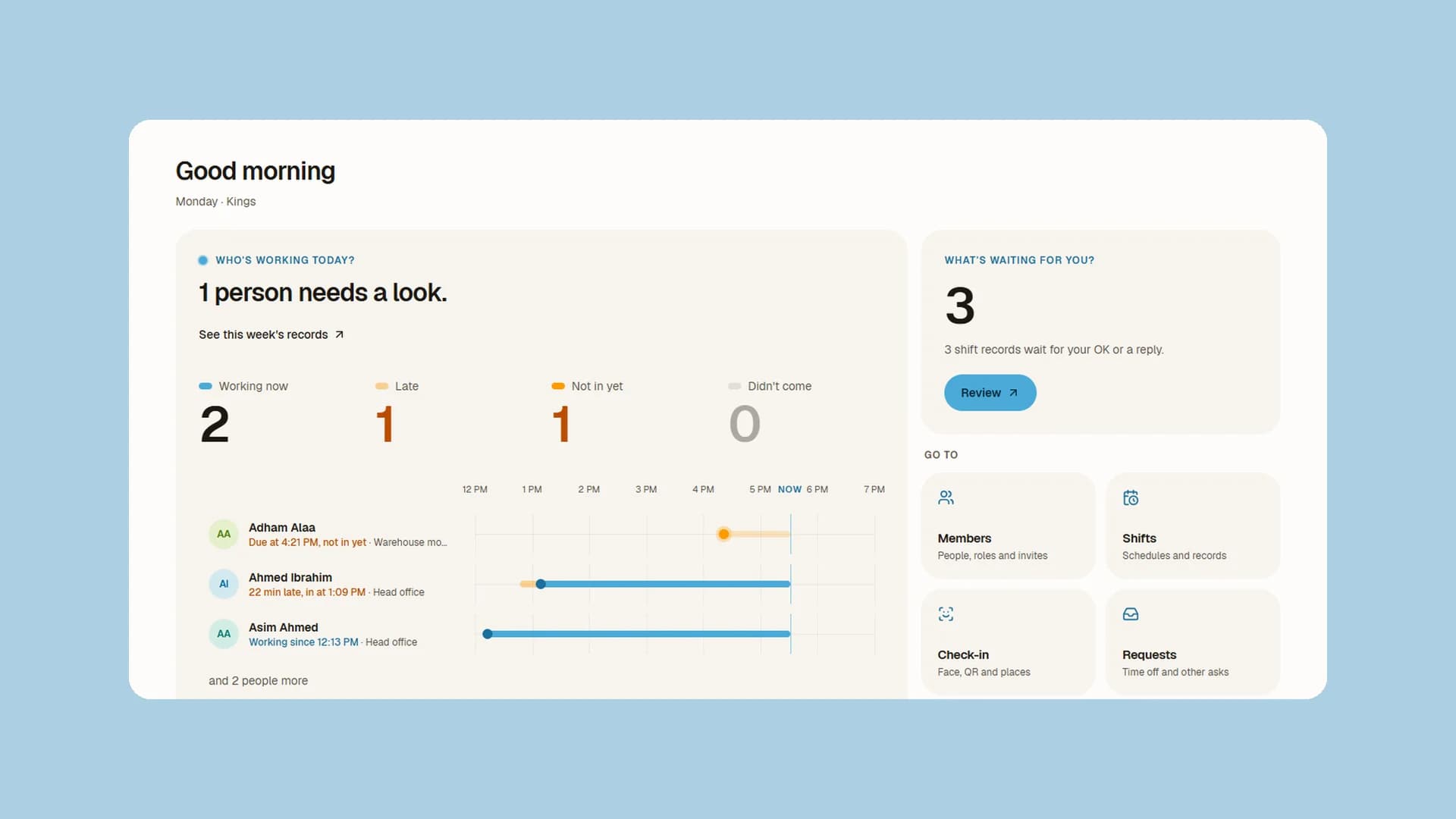
- The admin home shows today on one live timeline: who's working, who's late, who hasn't come in.
- Members is rebuilt as cards or a table. Pause or remove someone, see what happens first, and Undo.
- Invite a whole team by pasting emails or uploading a list, or share one join code.
- Expired invites say so, and accepted ones are marked.
- Each role has its own page, colour and access list in plain words.
- Only the owner hands out full admin, payroll and billing rights.
- Removing someone ends their access everywhere, and a paused member keeps their seat.
The worker's own dashboard
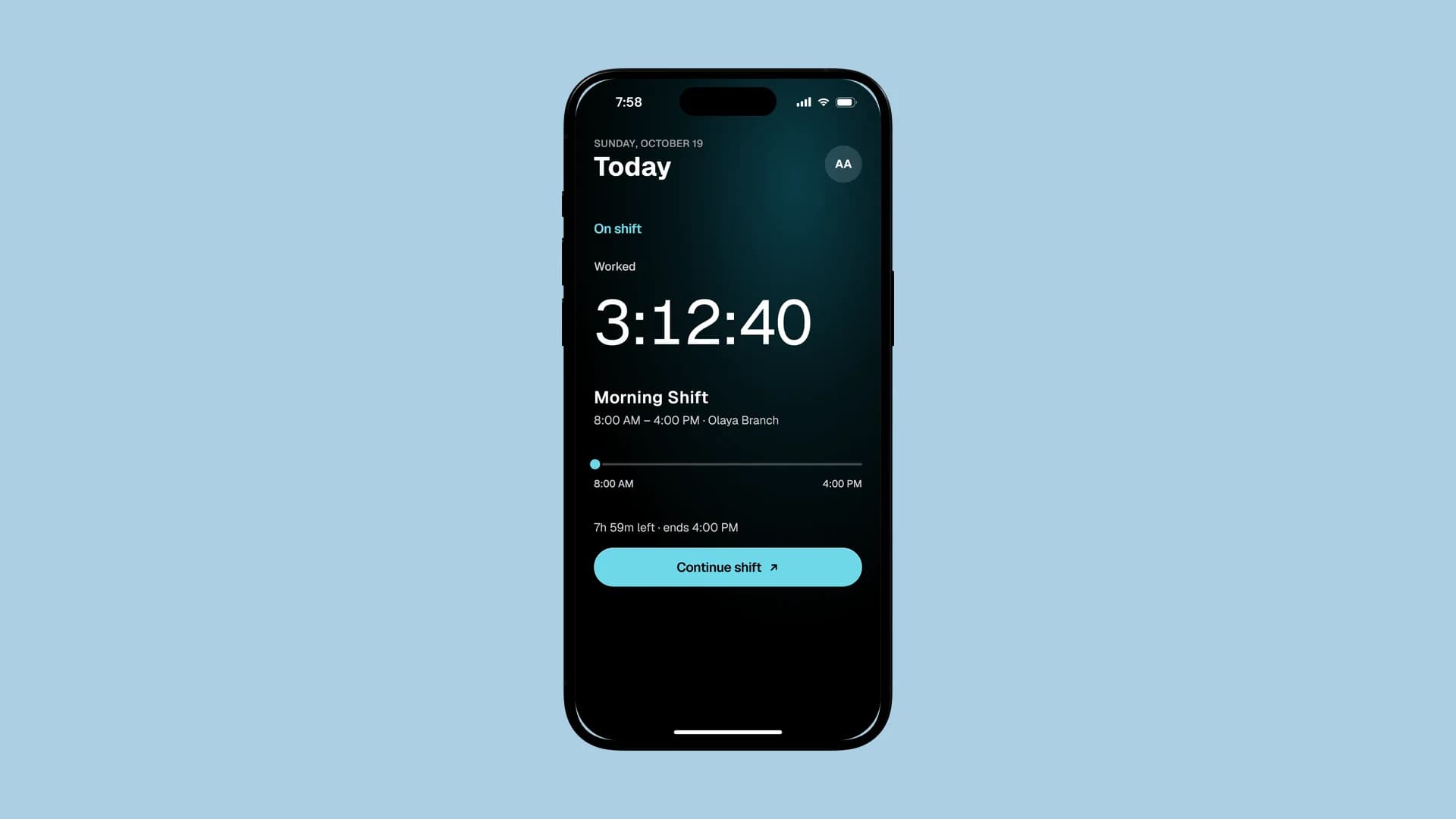
- Home shows today's shift with Start, what needs them and the last 30 days, like the phone.
- Today, upcoming and past shifts in one place. Workers can question a past shift's hours from it.
- Breaks show the one on now, or the types to start, with minutes taken today and this week.
- Pay shows this month's estimate and take-home by pay day, in the worker's own currency.
- Pay stubs open in place and download as a PDF.
- Reports show hours, breaks and a calendar of the worker's rhythm, with PDF export.
- Signatures and the calendar sit in one inbox, and documents are signed in place.
The phone app
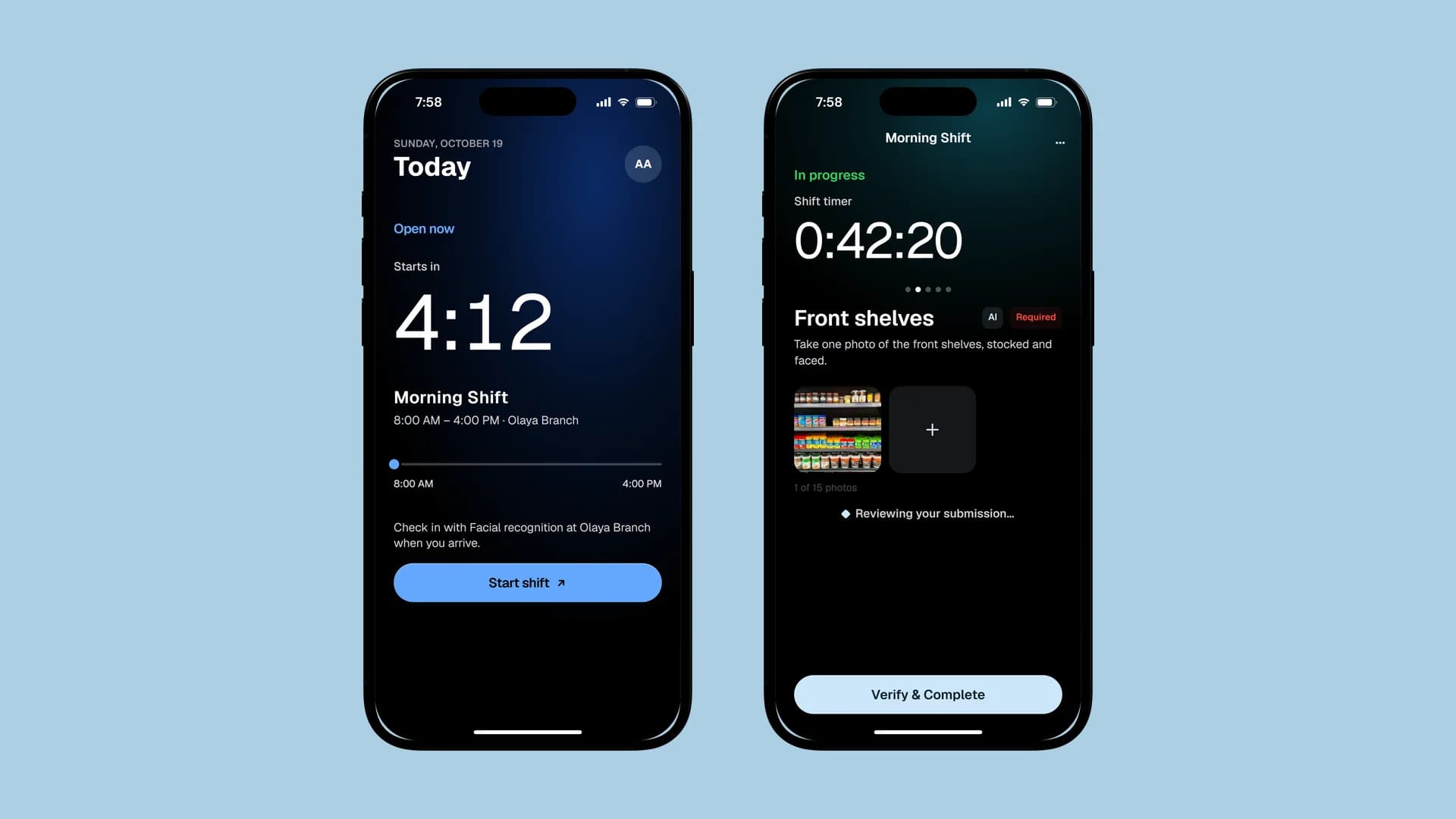
- Today is rebuilt: a 24-hour shift dial, time left ticking by the second, and the last 30 days.
- The Shifts tab is a day board, and Payroll, Reports, Requests and Notifications are redesigned.
- Steps and requests are kept on the phone offline and sent when it's back online.
- One Clock out tap is enough, and a stray tap can't end a shift just after check-in.
- The app checks for updates each time it opens.
Get the app on iPhone and Android.
Mako, the assistant
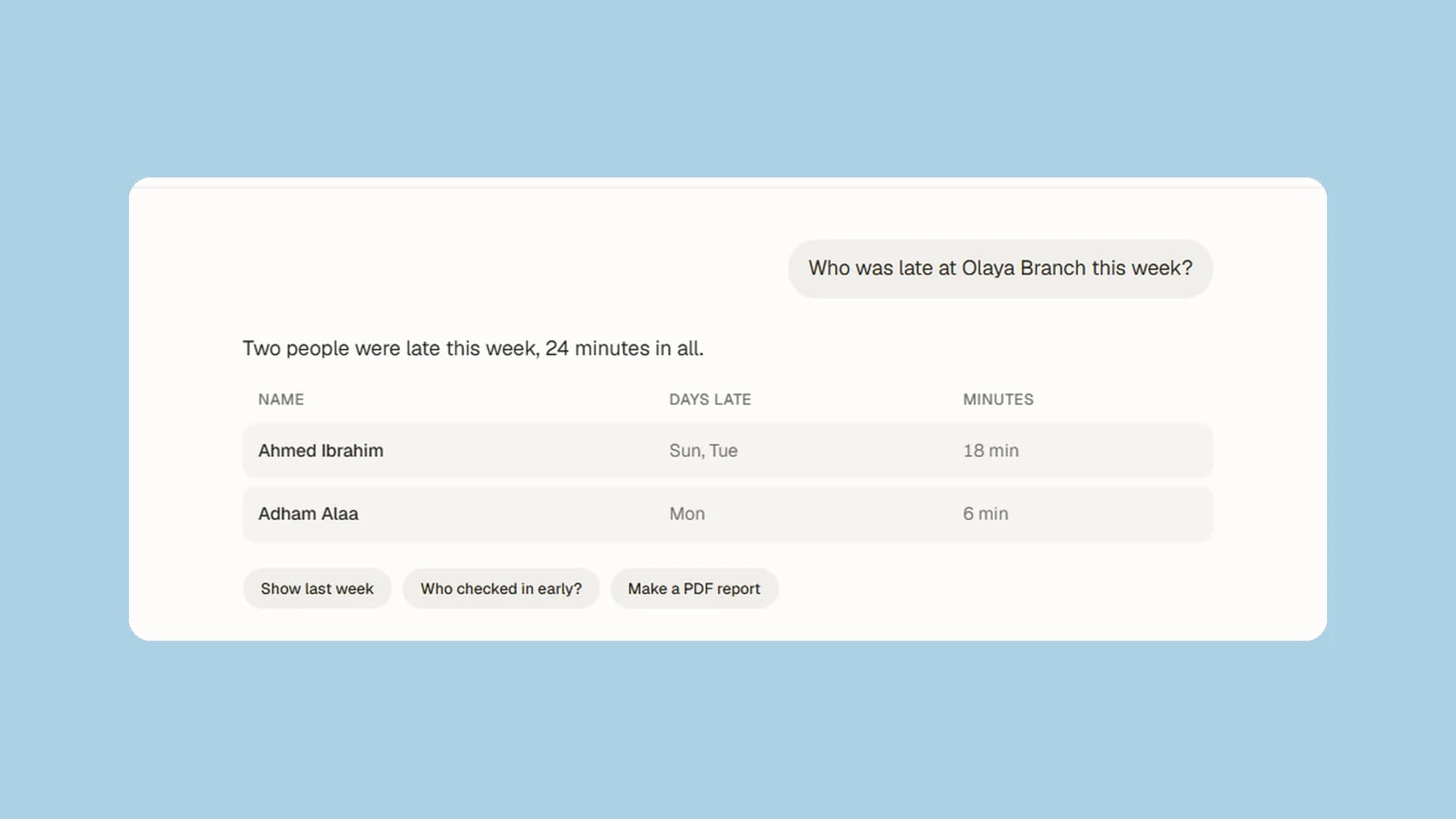
- Answers show their steps and the documents they come from.
- Memory saves and recalls reliably. See, search and edit what it remembers in Settings.
- Mako files and decides requests, in any language.
- Leave filed through Mako meets the same leave policy as the Requests page.
- Answers about lateness use each shift's own start time.
- Mako only reads what the person asking may read, checked on every turn.
- The owner can turn Mako on or off for the whole company.
See what Mako does.
Notifications and Arabic
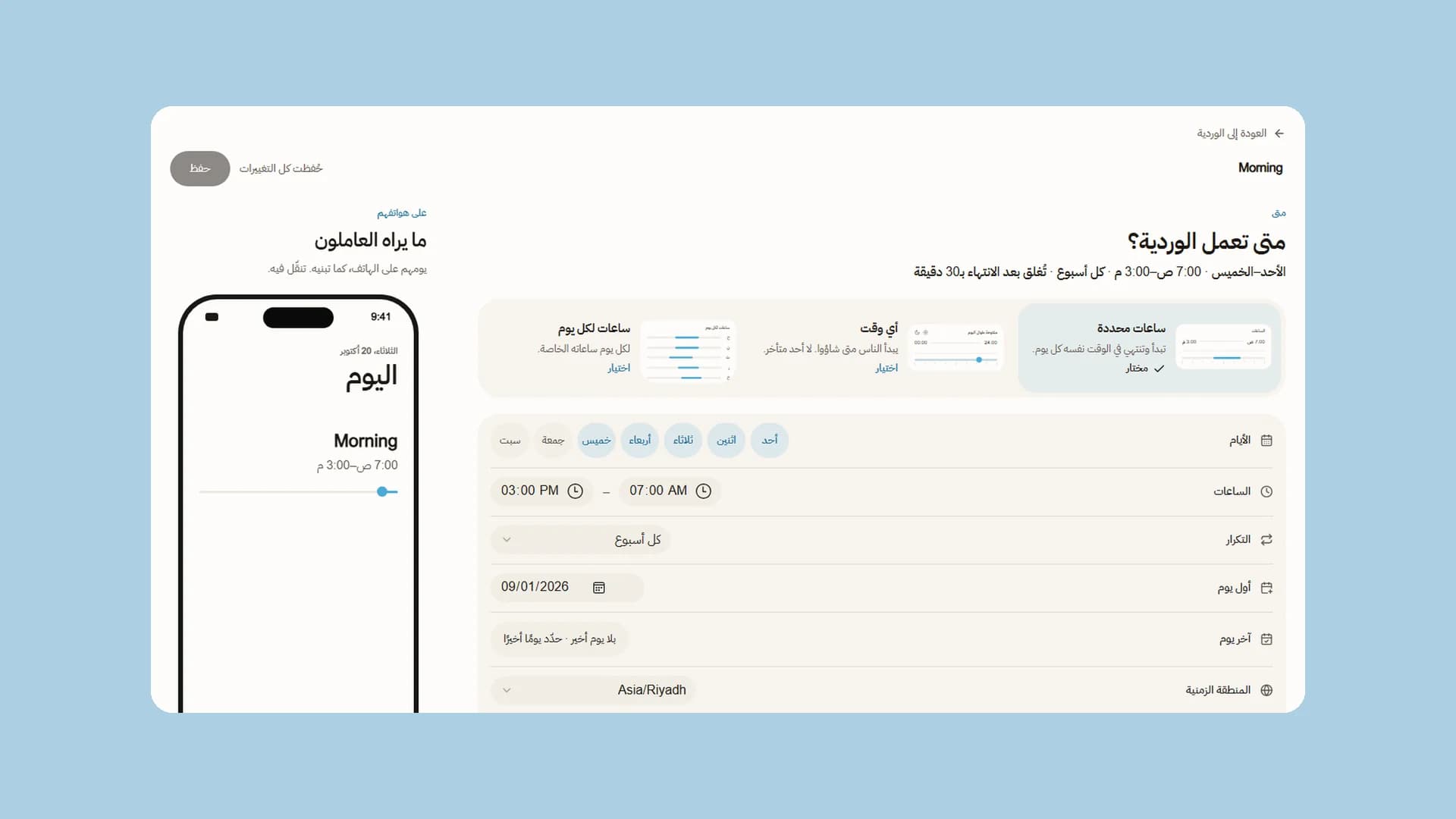
- Shift reminders, no-show alerts and checkout alerts now reach every company.
- Each phone gets its notifications in its own language, English or Arabic.
- Every email is redesigned in Arabic and English, with the subject in the email's language.
- Arabic pages keep Western digits, follow the page's direction and accept Arabic digits in fields.
Plans, security and speed
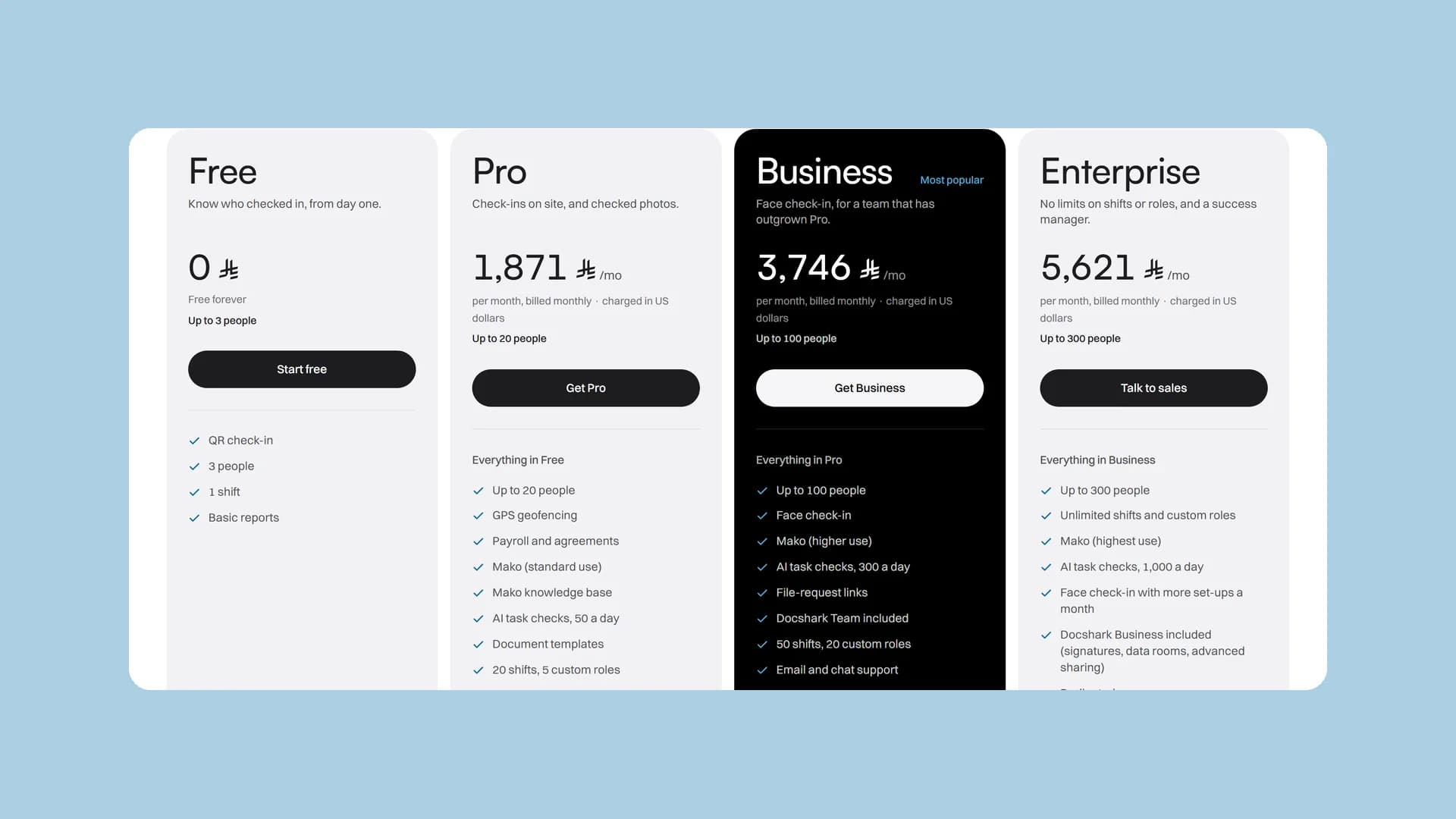
- Plans and billing are one place. A downgrade starts at the period's end, and an upgrade credits unused time.
- Only the owner or a billing role manages billing, for each product on its own.
- A short payment problem keeps your paid plan for 7 days while you fix the card.
- Members you deactivate lose access to breaks, pay stubs and records at once.
- Members see only what is theirs: never the company's private settings, or coworkers' emails and pay.
- Managers who change their own hours need full admin rights, and every change is logged.
- A replayed face check is refused.