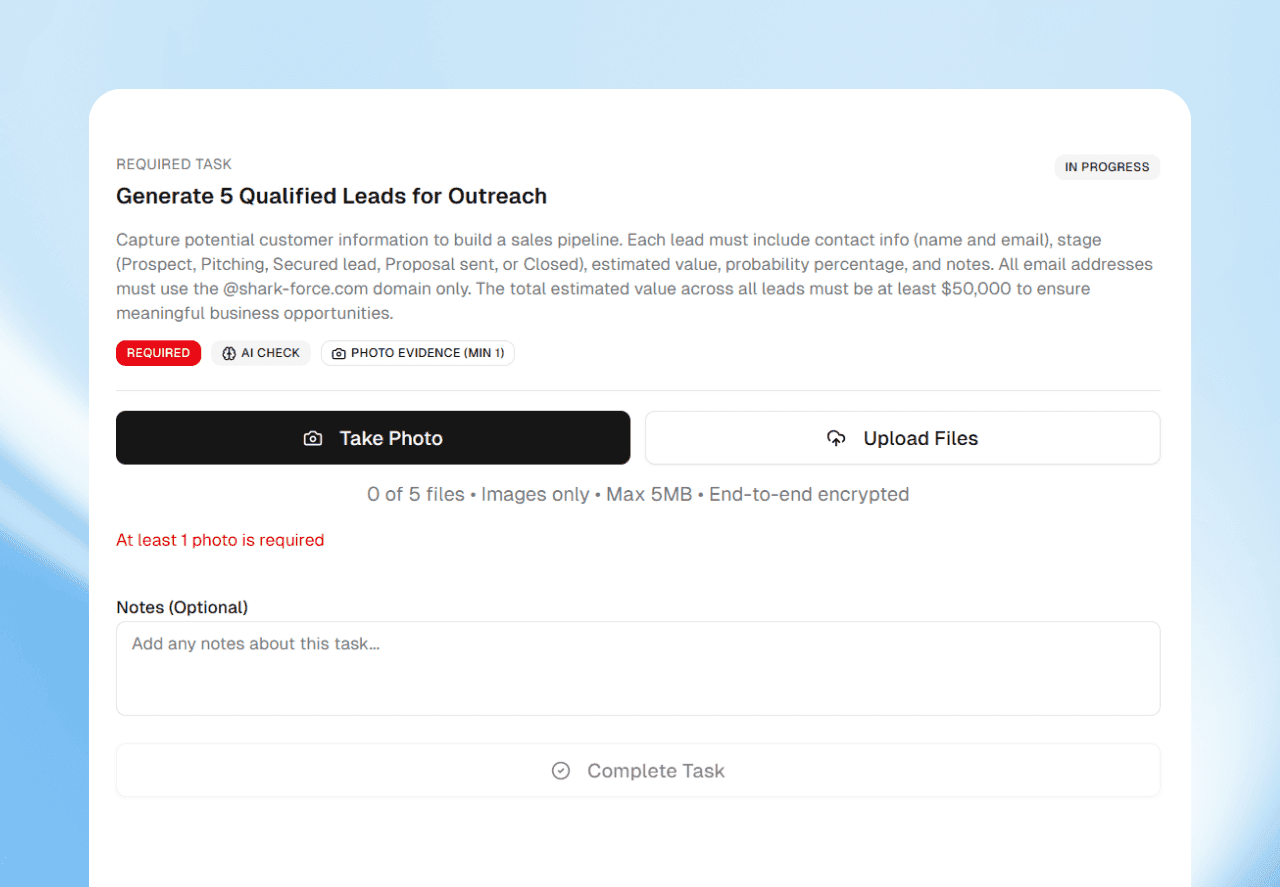
The Shift Builder lets you build each shift from blocks, without code. You choose who works it, when, how they check in, the tasks, and which tasks need a photo.
Every workplace runs differently
A clinic runs nothing like a hotel. A shop's closing shift has different steps than its morning shift.
Fixed templates make you bend your work to fit the tool. Spreadsheets bend, but they don't check anything.
The building blocks
Each shift in the Shift Builder is made from the same few blocks. You pick what each one holds.
- Who: the people the shift is for.
- When: the days and times the shift runs.
- How they check in: a QR code at the door, a location zone, or face check-in.
- What to do: the tasks for the shift, in order.
- Proof: a photo for any task, checked by AI against the task.
QR check-in works on every plan. Location check-in and AI task validation start on Pro, and face check-in on Business.

Three examples
If you run a clinic
Staff check in by face, so the face must match the one each person set up. A location zone around the building checks they are at the site.
Add a task for the medicine fridge, with a photo of its temperature display. The AI checks the photo shows what the task asked for.
If you run a hotel
Housekeeping checks in with a QR code at the service entrance. Each room gets a short list of tasks, and a photo once it is ready.
You open the shift and see which rooms passed, without walking every floor.
If you run a shop
The closing shift ends with photos of the display cases and the shutter. You see each one beside the shift, before you go to bed.
Start with one shift
- 1Pick the shift that worries you most. One site, one team.
- 2Choose how people check in. Start with what your plan includes.
- 3Add the tasks in order. Write each one so a new person could follow it.
- 4Ask for photos where they matter. Not every task needs one.
- 5Run it for a week, then adjust. Change the shift when your work changes.